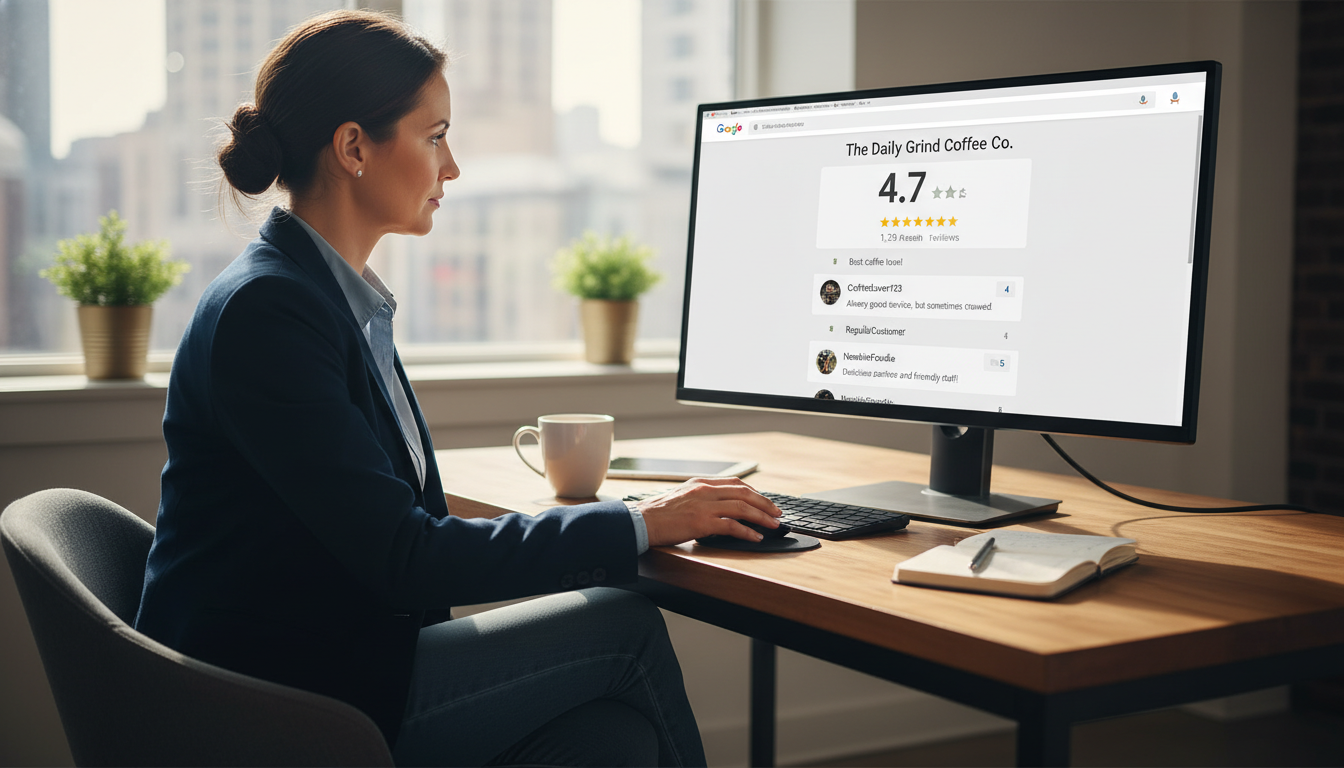
Google’s Review Policy Explained: What You Can and Can’t Do
Google reviews can make or break your business reputation. With 90% of consumers reading online reviews before visiting a business, understanding Google’s review policy isn’t just good practice—it’s essential for survival in today’s digital marketplace.
This comprehensive guide will walk you through what Google allows, what it prohibits, and how to navigate the sometimes confusing world of review management without risking penalties. Whether you’re a small local business or a multi-location enterprise, knowing these guidelines will help you build a strong online presence while staying on Google’s good side.
Why Google’s Review Policy Matters
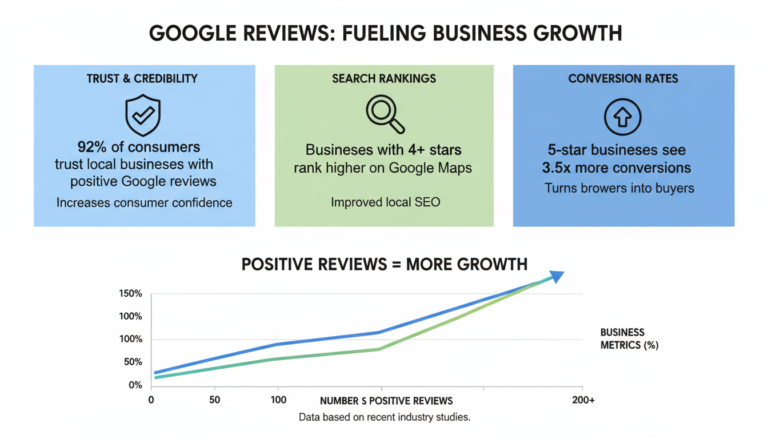
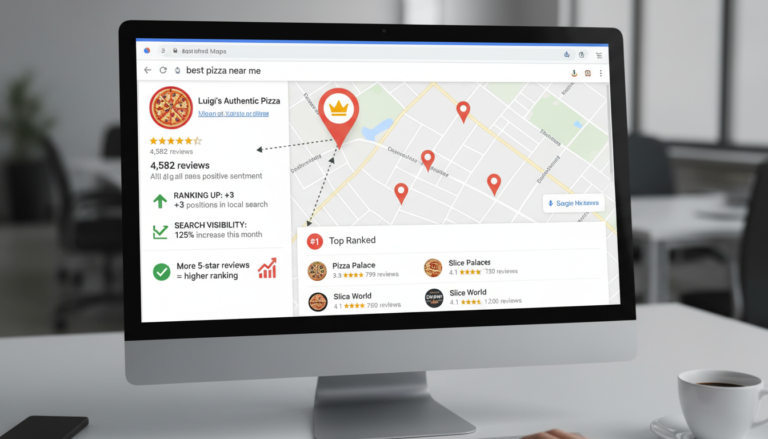
Google reviews are vital for your business’s online reputation. They appear prominently in search results, Google Maps, and your Google Business Profile, directly influencing potential customers’ decisions. But there’s more at stake than just visibility:
Benefits of Compliant Reviews
- Higher trust from potential customers
- Improved local search rankings
- Better conversion rates from search to store visits
- Protection from sudden review removal
- Long-term reputation stability
Risks of Policy Violations
- Removal of all your reviews
- Google Business Profile suspension
- Decreased visibility in local search
- Loss of customer trust
- Potential legal consequences
Understanding Google’s review policy helps you navigate these waters safely while maximizing the benefits of positive customer feedback. Let’s dive into what Google’s review guidelines actually entail.
Google Review Policy: Core Principles
Google’s review policy is designed to ensure reviews are honest, relevant, and helpful to users. The guidelines can be found under Google’s Maps User Generated Content Policy, as reviews are submitted through Google Maps.
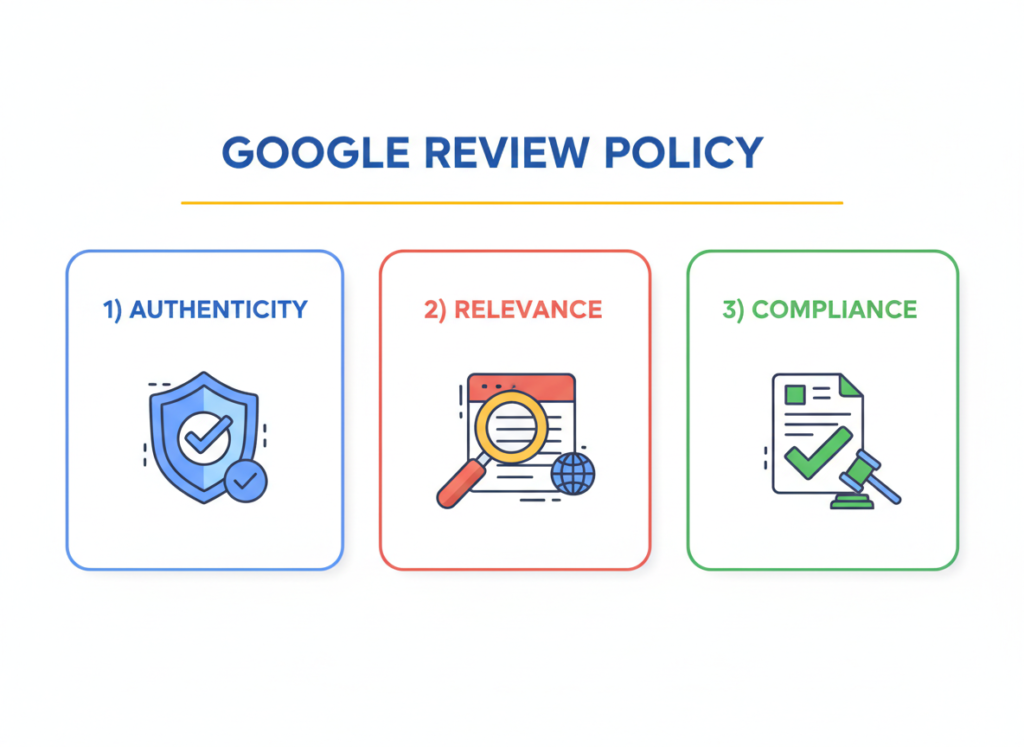
At its core, Google’s review policy is built on three fundamental principles:
Authenticity
Reviews must reflect genuine customer experiences. Google prohibits fake reviews, whether positive or negative, and reviews from people who haven’t actually used the product or service.
Relevance
Content should be directly related to the customer experience with the business. Off-topic reviews, political commentary, or social issues unrelated to the actual service are discouraged.
Compliance
Reviews must follow Google’s broader content policies, avoiding prohibited content like hate speech, explicit material, or harassment. This ensures a safe environment for all users.
These principles guide all of Google’s decisions about review content. Understanding them will help you better navigate the specific do’s and don’ts that follow.
What You CAN’T Do: Prohibited Content and Behaviors
Google’s review policy clearly outlines content and behaviors that are prohibited. Violating these guidelines can result in review removal or even account suspension. Here’s what you need to avoid:
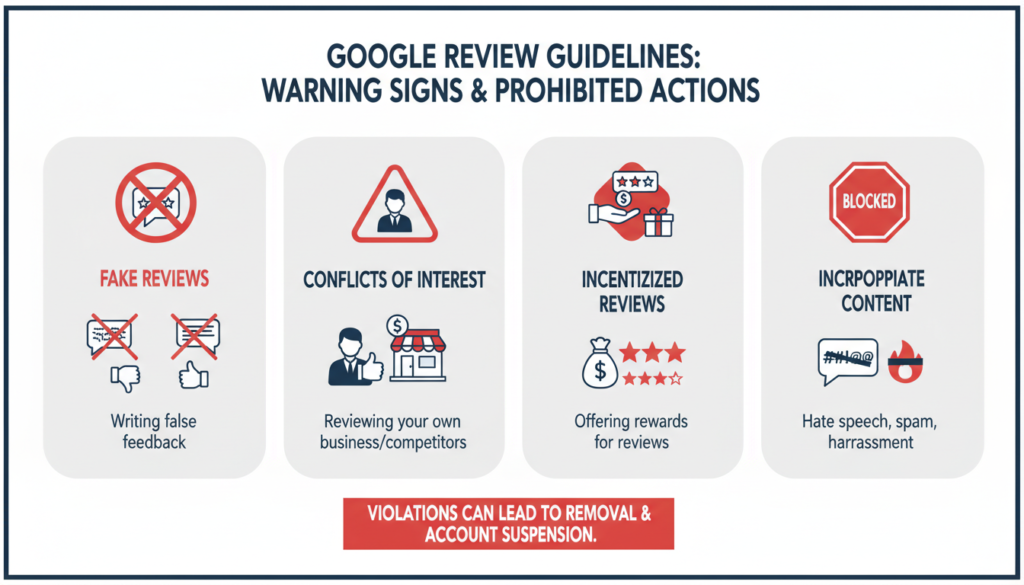
1. Fake or Misleading Content
Google prohibits any content that misrepresents experiences or comes from people who haven’t actually used the business’s products or services. This includes:
- Reviews written by someone who never visited the business
- Reviews purchased from third parties or review farms
- Content that contains false information about experiences
- Reviews from multiple accounts created by the same person
2. Conflicts of Interest
Reviews should be unbiased and objective. Google prohibits reviews that create a conflict of interest, such as:
- Reviews from business owners or employees about their own business
- Reviews about competitors written by business owners
- Reviews from close friends or family members of the business owner
- Reviews from business partners with financial interests
3. Incentivized Reviews
Offering incentives in exchange for reviews violates Google’s policy. This includes:
- Providing discounts or free products in exchange for reviews
- Running contests where leaving a review is required for entry
- Offering monetary compensation for feedback
- Providing any form of reward specifically tied to leaving a review
Stay Compliant with Our Free Guide
Download our comprehensive “Google Review Policy Compliance Checklist” to ensure your review management practices follow all guidelines.
4. Review Gating
Review gating occurs when businesses selectively solicit positive reviews while discouraging negative ones. Examples include:
- Using software that only asks satisfied customers for reviews
- Filtering customers based on their satisfaction before requesting reviews
- Creating systems that prevent or discourage negative feedback
5. Inappropriate or Harmful Content
Google prohibits reviews containing:
- Hate speech or discriminatory language
- Sexually explicit content
- Harassment or bullying
- Personal information about employees or others
- Promotion of dangerous or illegal activities
6. Impersonation
Creating reviews under false identities or pretending to be someone else violates Google’s policy. This includes:
- Creating fake profiles to leave reviews
- Pretending to be a customer when you’re not
- Impersonating others to leave feedback
Real-World Example: In 2022, a home service company had over 400 reviews removed after Google discovered they were offering a 10% discount in exchange for 5-star reviews. The business also experienced a temporary suspension of their Google Business Profile.
What You CAN Do: Compliant Review Practices
While Google’s review policy has many restrictions, there are still plenty of legitimate ways to encourage reviews and manage your online reputation. Here are practices that comply with Google’s guidelines:

1. Ask for Reviews (The Right Way)
You can absolutely ask customers for reviews, as long as you do it properly:
- Request reviews from all customers, not just those you expect positive feedback from
- Use neutral language like “Please share your experience” rather than “Leave us a 5-star review”
- Make it easy by providing a direct link to your Google review page
- Ask at appropriate times, such as after a successful transaction or service completion
2. Respond to All Reviews
Google encourages business owners to respond to reviews, both positive and negative:
- Thank customers for positive feedback
- Address concerns professionally in negative reviews
- Provide additional context when necessary
- Offer solutions to problems mentioned in reviews
3. Create a Review-Friendly Experience
The best way to get positive reviews is to provide excellent service:
- Focus on delivering exceptional customer experiences
- Train staff on the importance of customer satisfaction
- Address issues promptly when they arise
- Create memorable moments that customers will want to share
Master Review Management
Download our “Review Management Best Practices Guide” to learn how to ethically build a strong review profile while staying compliant with Google’s policies.
4. Use Compliant Review Generation Tools
You can use software and tools to help manage reviews, as long as they follow Google’s guidelines:
- Tools that send review requests to all customers equally
- Platforms that make it easy for customers to leave feedback
- Systems that help you monitor and respond to reviews
- Solutions that don’t filter or gate reviews based on sentiment
5. Report Genuine Policy Violations
Google allows you to report reviews that violate their policies:
- Flag reviews containing spam, hate speech, or inappropriate content
- Report reviews from competitors or non-customers
- Challenge reviews that contain false information
- Submit evidence when available to support your claim
“The best strategy for Google reviews is simple: provide excellent service, ask all customers for feedback, and respond professionally to every review you receive.”
How to Report Reviews That Violate Google’s Policy
If you encounter reviews that violate Google’s policy, you can report them for removal. Here’s how to do it effectively:
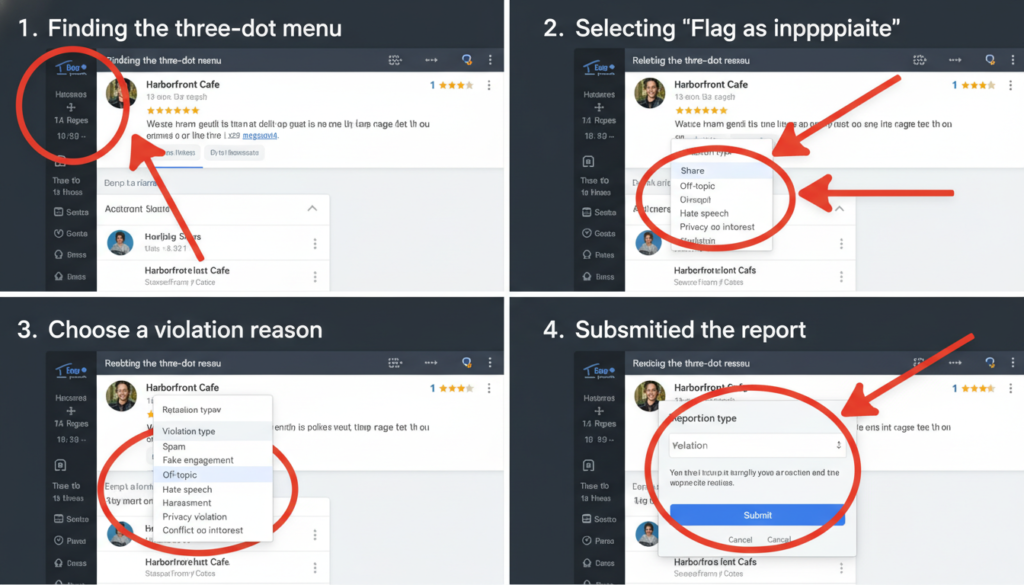
Step-by-Step Reporting Process
- Sign in to your Google Account associated with your business
- Find the review you want to report
- Click the three-dot menu (⋮) next to the review
- Select “Flag as inappropriate”
- Choose the violation type that best describes the issue
- Submit your report
What Happens After Reporting
After you submit a report, Google will review your request:
- Google’s team evaluates the review against their policies
- The review remains visible during the evaluation process
- If Google determines the review violates policies, it will be removed
- If Google finds no violation, the review will remain
- You’ll typically receive a notification about the decision
Important: Reporting is anonymous. The reviewer won’t know you reported their review, even if Google decides to remove it.
Tips for Successful Reporting
To increase the chances of having violating reviews removed:
- Be specific about which policy the review violates
- Provide evidence when possible (screenshots, emails, etc.)
- Report promptly when you notice violations
- Be patient—review can take several days
- If your initial report is unsuccessful, you can appeal once
Best Practices for Responding to Reviews
Responding to reviews is an important part of managing your online reputation. Here’s how to do it effectively while staying within Google’s guidelines:
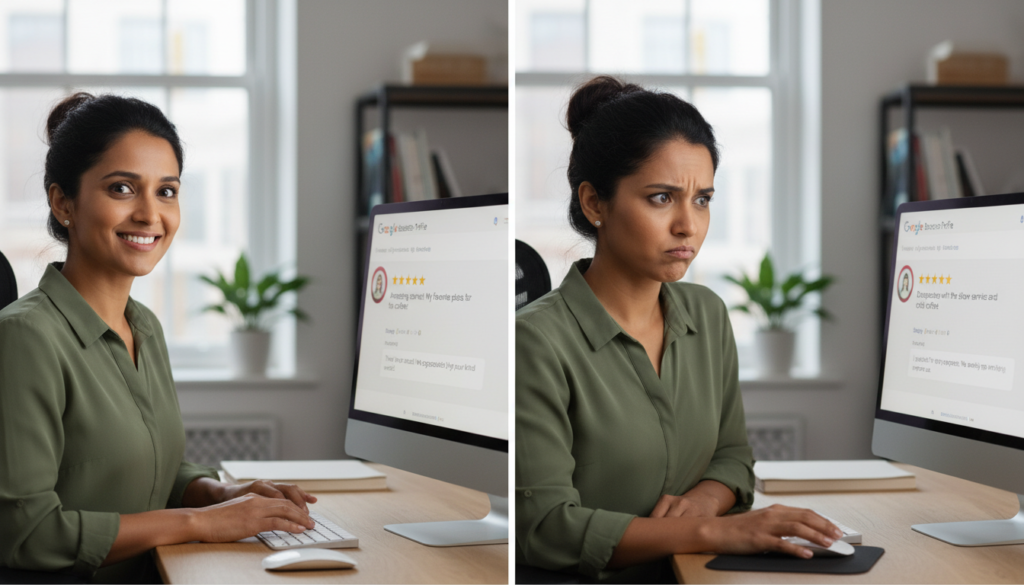
Responding to Positive Reviews
- Thank the customer for taking time to leave feedback
- Personalize your response when possible
- Keep it concise and genuine
- Reinforce positive aspects mentioned in the review
- Invite the customer to return
Responding to Negative Reviews
- Respond promptly but not hastily
- Maintain a professional, non-defensive tone
- Acknowledge the customer’s concerns
- Offer to resolve the issue offline
- Provide contact information for further discussion
Sample Response Templates
Positive Review Response Template
“Thank you, [Customer Name], for your wonderful feedback! We’re thrilled that you enjoyed [specific aspect they mentioned]. Our team works hard to provide [relevant service quality], and it’s rewarding to know we succeeded. We look forward to serving you again soon!”
Negative Review Response Template
“Hello [Customer Name], thank you for bringing this to our attention. We’re sorry to hear about your experience with [issue mentioned]. At [Business Name], we strive for customer satisfaction, and we clearly missed the mark. I’d like to learn more about what happened and make things right. Please contact me directly at [phone/email] so we can resolve this matter. [Your Name], [Position]”
Perfect Your Review Responses
Download our collection of “Review Response Templates” for various situations to help you respond professionally to any type of feedback.
What to Avoid in Responses
When responding to reviews, avoid these common mistakes:
- Getting defensive or argumentative
- Sharing personal information about customers
- Using template responses for every review
- Offering incentives to change negative reviews
- Making excuses rather than addressing concerns
Dealing with Fake or Malicious Reviews
Despite Google’s efforts to maintain review quality, fake or malicious reviews can still appear. Here’s how to handle them:
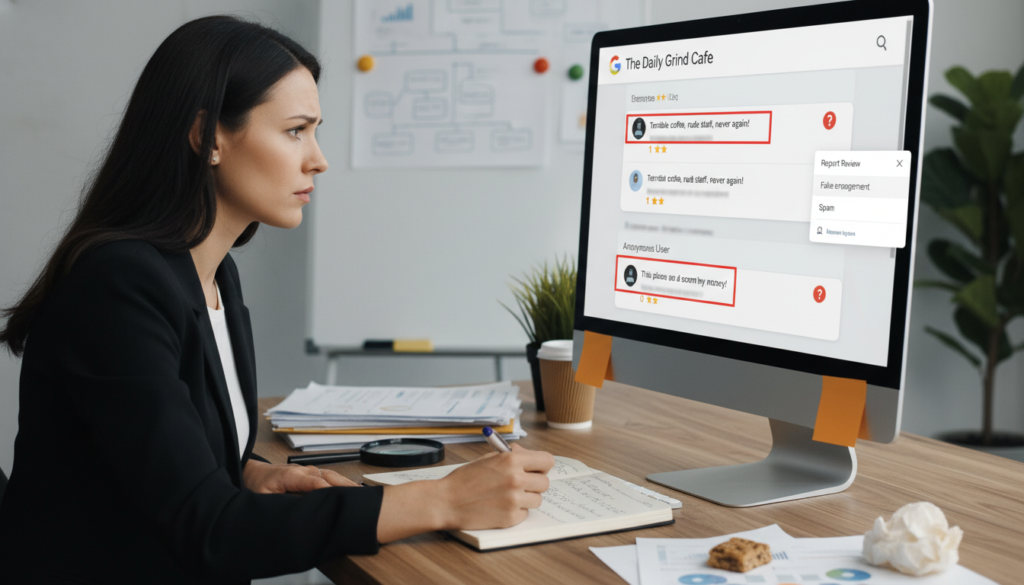
Identifying Fake Reviews
Look for these common signs of fake reviews:
- Generic content that could apply to any business
- Reviewer has only one review or reviews many similar businesses
- Extreme language without specific details
- Multiple similar reviews appearing in a short timeframe
- Reviews mentioning competitors or promoting other businesses
Steps to Take When You Suspect Fake Reviews
- Document the suspicious reviews with screenshots
- Check the reviewer’s profile for patterns of suspicious activity
- Report the review through Google’s standard reporting process
- Respond professionally without accusing the reviewer of being fake
- If multiple fake reviews appear, contact Google support directly
Warning: Never accuse a reviewer of leaving a fake review in your public response. This can escalate the situation and potentially violate Google’s own policies on respectful communication.
Handling Review Attacks
If your business experiences a sudden influx of negative reviews:
- Document the pattern with dates and screenshots
- Report each review individually
- Contact Google Business Profile support directly
- Consider using Google’s Business Redressal Complaint Form
- Focus on generating legitimate reviews to dilute the impact
Staying Updated on Google Review Policy Changes
Google’s review policies evolve over time. Staying informed about these changes is crucial for maintaining compliance:
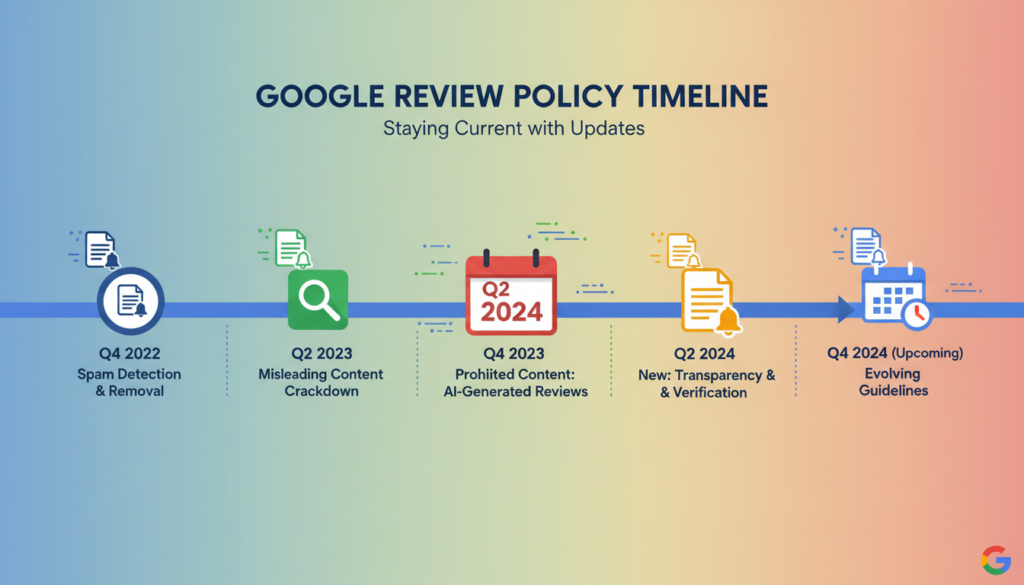
Recent Policy Updates
Google has made several significant changes to their review policy in recent years:
- Stricter enforcement against review gating practices
- Enhanced AI detection of fake or incentivized reviews
- More specific guidelines about conflicts of interest
- Clearer policies on content related to social or political issues
- Improved processes for reporting policy violations
How to Stay Informed
To keep up with Google’s review policy changes:
- Regularly check Google’s official Maps User Generated Content Policy
- Subscribe to Google Business Profile announcements
- Follow reputable digital marketing blogs that cover Google updates
- Join business owner forums where policy changes are discussed
- Set up Google Alerts for terms like “Google review policy update”
“The businesses that thrive on Google are those that adapt quickly to policy changes and maintain ethical review practices regardless of what the current guidelines specifically prohibit.”
Tools and Resources for Compliant Review Management
Managing your Google reviews effectively while staying compliant with policies can be easier with the right tools and resources:

Review Management Platforms
These platforms can help you manage reviews while staying compliant:
- Google Business Profile Manager (free official tool)
- Review management software that follows Google’s guidelines
- Customer feedback platforms that don’t gate reviews
- Response management tools with compliant templates
Educational Resources
Learn more about Google’s review policies from these sources:
- Google’s official help documentation
- Google Business Profile community forums
- Webinars on compliant review management
- Case studies of businesses affected by policy violations
Professional Support
Consider these professional resources for complex situations:
- Digital marketing agencies specializing in review management
- Google Business Profile experts
- Online reputation management consultants
- Legal advisors familiar with review policies
Conclusion: Building a Sustainable Review Strategy
Understanding and following Google’s review policy is essential for building a strong, sustainable online reputation. By focusing on authentic customer experiences, responding professionally to all feedback, and avoiding prohibited practices, you can create a review profile that benefits both your business and potential customers.
Remember these key takeaways:
- Always prioritize authentic customer experiences and feedback
- Never engage in review manipulation, incentivization, or gating
- Respond professionally to all reviews, both positive and negative
- Report genuine policy violations through proper channels
- Stay updated on policy changes to maintain compliance
By following these guidelines, you’ll not only avoid penalties but also build a trustworthy online presence that attracts new customers and retains existing ones. Google reviews, when managed properly, can be one of your most powerful marketing assets.
Master Google Review Management
Download our complete set of Google review management resources to build a compliant, effective review strategy.
Frequently Asked Questions About Google’s Review Policy
Can I ask customers to leave reviews?
Yes, you can ask customers to leave reviews as long as you don’t selectively solicit only positive reviews or offer incentives. Ask all customers equally and use neutral language like “Please share your experience” rather than specifically requesting 5-star reviews.
Is it against Google’s policy to offer incentives for reviews?
Yes, offering any incentive in exchange for reviews violates Google’s policy. This includes discounts, free products, contest entries, or any other reward specifically tied to leaving a review.
Can I remove negative reviews from my Google Business Profile?
You cannot directly remove reviews yourself. However, if a review violates Google’s policies, you can report it for removal. Google will only remove reviews that clearly violate their guidelines, not simply because they are negative.
What is review gating and why is it prohibited?
Review gating is the practice of screening customers and only asking satisfied ones to leave reviews while discouraging or preventing negative feedback. It’s prohibited because it creates a misleading impression of customer experiences by filtering out negative opinions.
Can my employees leave reviews for our business?
No, reviews from current or former employees create a conflict of interest and violate Google’s policy. Employees should not leave reviews for their own workplace, even if they’re genuine customers of the business.
How long does it take Google to remove a reported review?
Review removal times vary. Some reviews may be removed within a few days, while others might take weeks. Google uses both automated systems and human reviewers to evaluate reported content, which affects processing time.