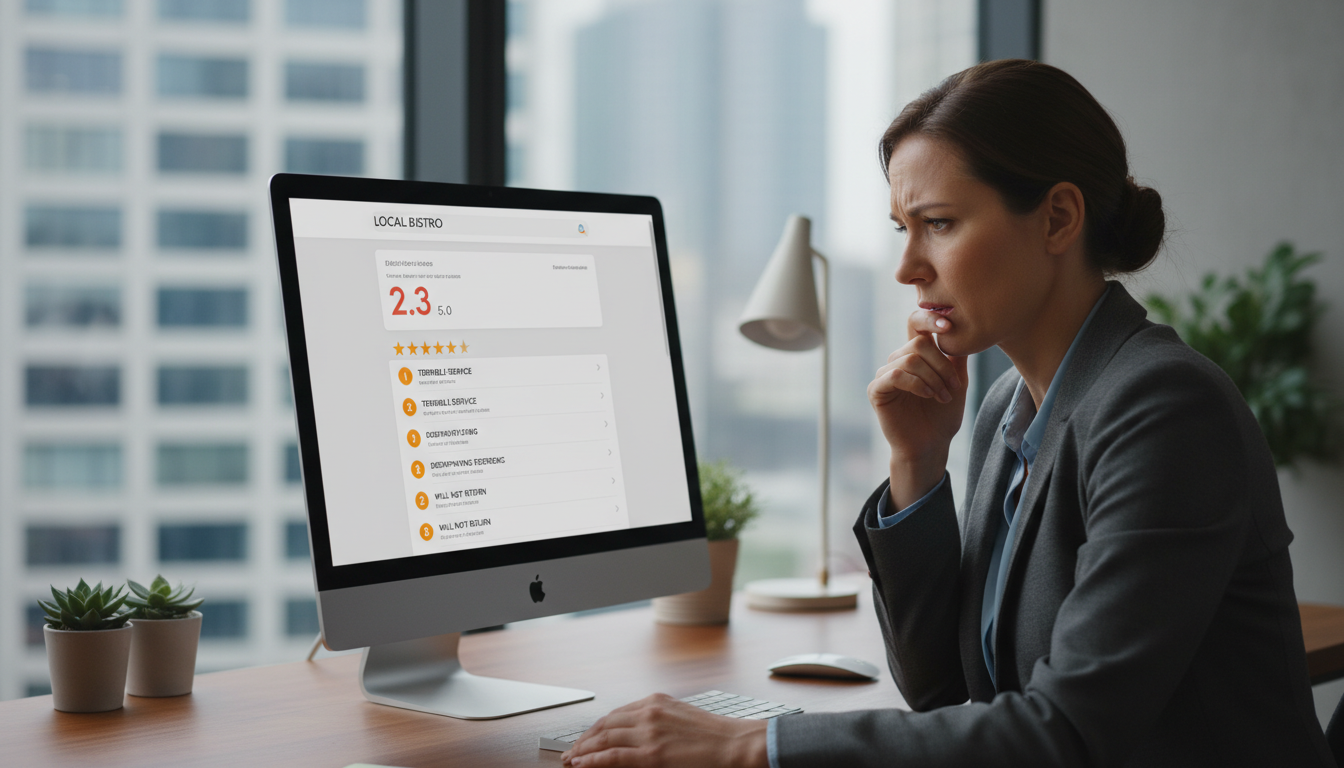
How to Handle Fake or Spam Reviews on Google
Fake or spam reviews on Google can significantly damage your business’s online reputation and impact your ranking in Google Search and Maps. With studies showing that 93% of consumers read online reviews before making purchase decisions, even a few fake negative reviews can drive potential customers away. This comprehensive guide will help you identify fraudulent reviews, understand the proper reporting process, and implement strategies to protect your business’s digital presence.
The Impact of Fake or Spam Reviews on Your Business
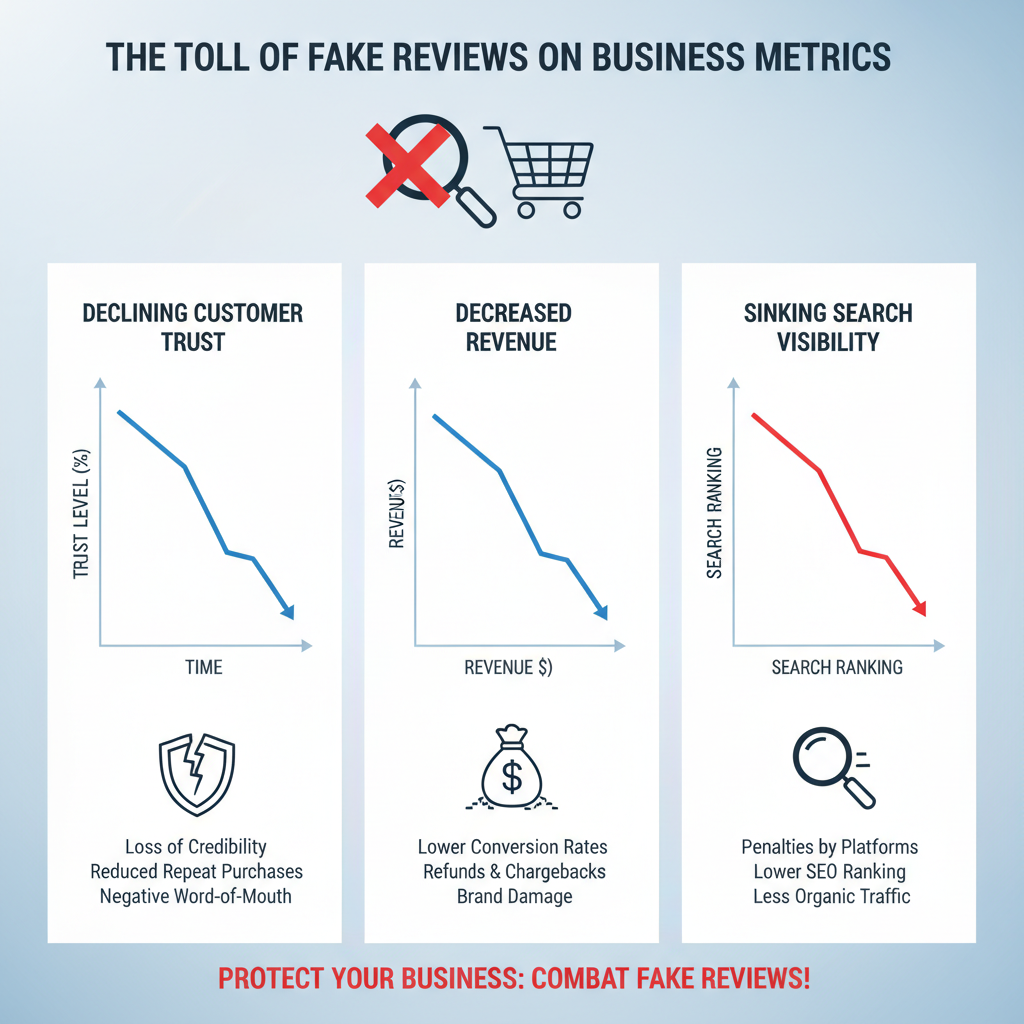
Fake Google reviews can have devastating effects on your business. According to recent statistics, businesses lose around $152 billion globally in revenue every year because of fake reviews. When potential customers see negative reviews, even if they’re fraudulent, they’re likely to look elsewhere.
How Fake Reviews Hurt Your Business
- Damage to your hard-earned reputation
- Loss of potential customers and revenue
- Decreased visibility in local search results
- Reduced trust in your brand
- Time and resources spent addressing false claims
Google takes fake reviews seriously. In 2023 alone, Google removed over 170 million policy-violating reviews and blocked millions of attempts to create fake business profiles. However, their system isn’t perfect, and businesses must remain vigilant in monitoring and addressing suspicious reviews.
How to Identify Fake & Spam Reviews
Before you can address fake Google reviews, you need to know how to spot them. Here are key indicators that can help you distinguish between legitimate negative feedback and fraudulent reviews:
Suspicious Profiles
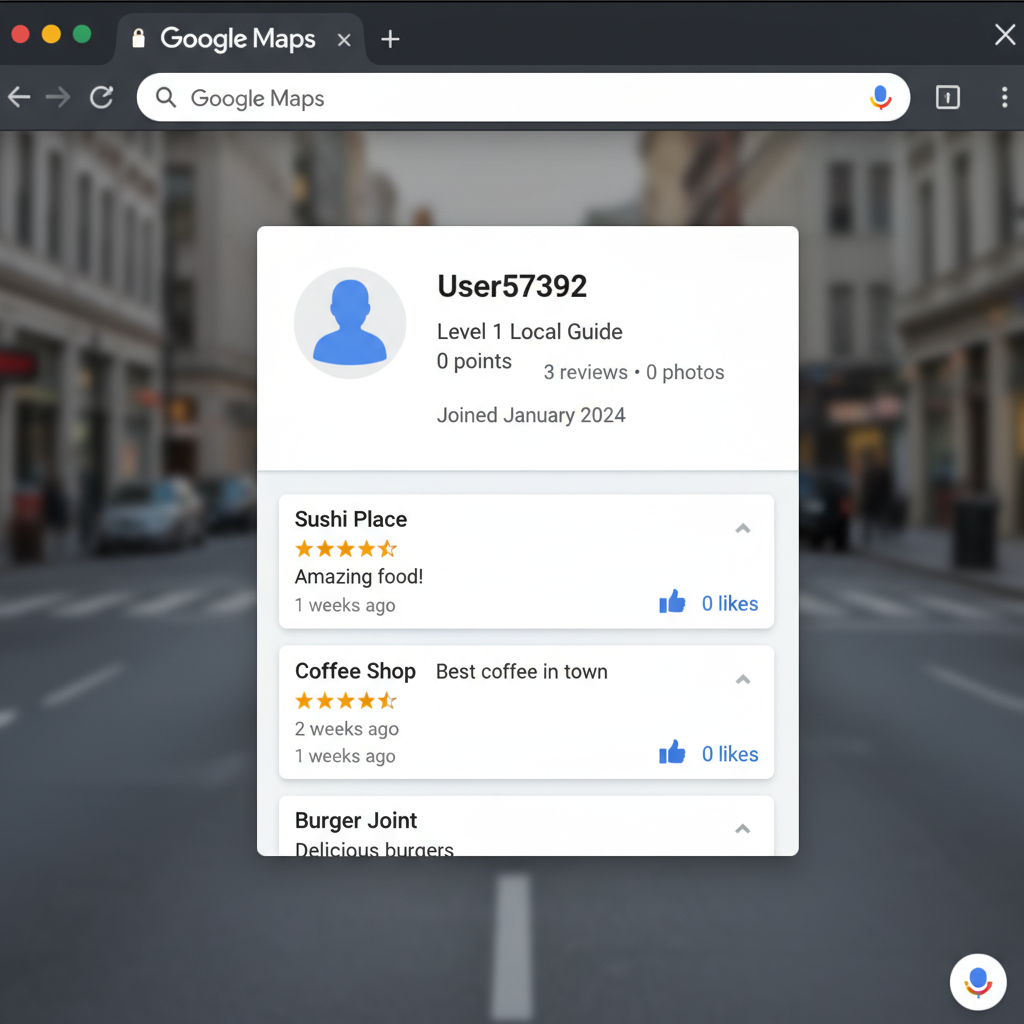
Check the reviewer’s profile. New accounts with few or no other reviews, generic usernames, and stock profile pictures are common signs of fake reviewers.
Generic Content
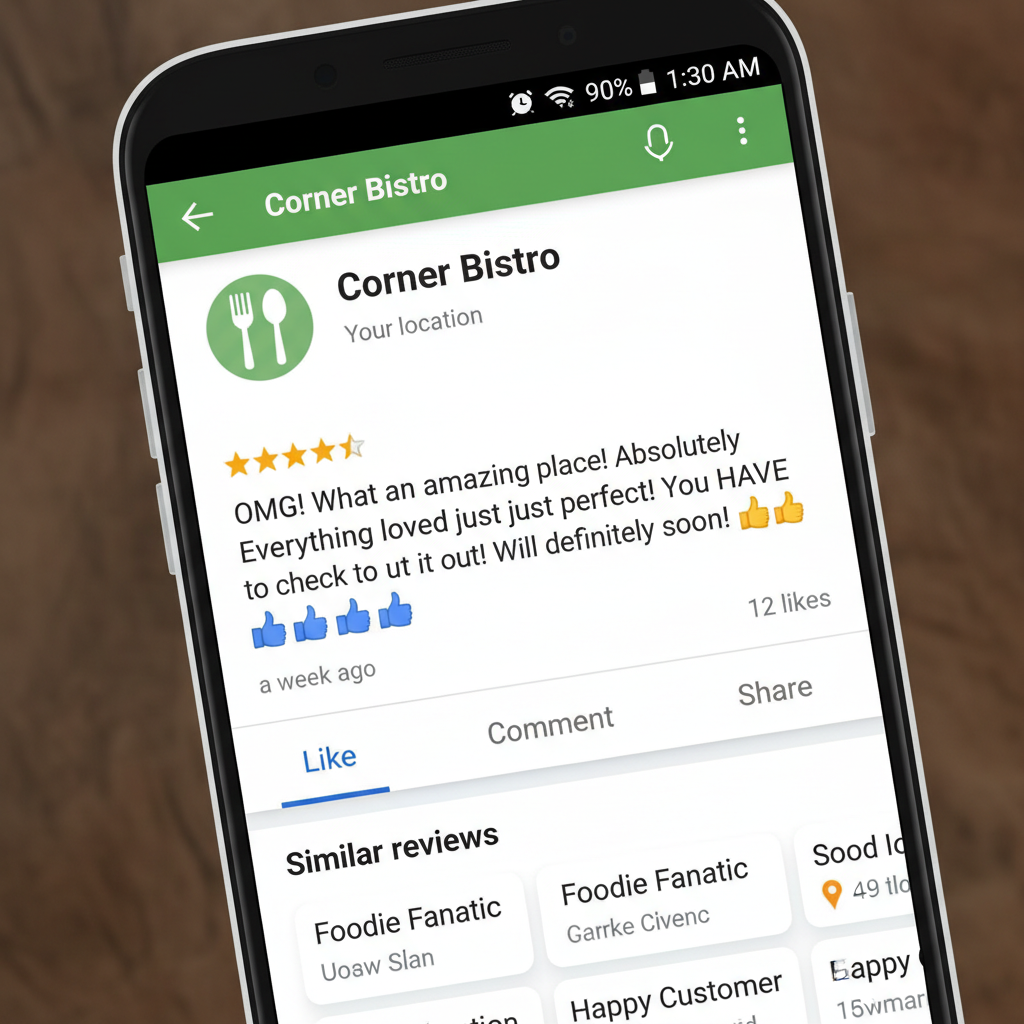
Fake reviews often contain vague language, excessive exclamation points, and lack specific details about your products or services that a real customer would mention.
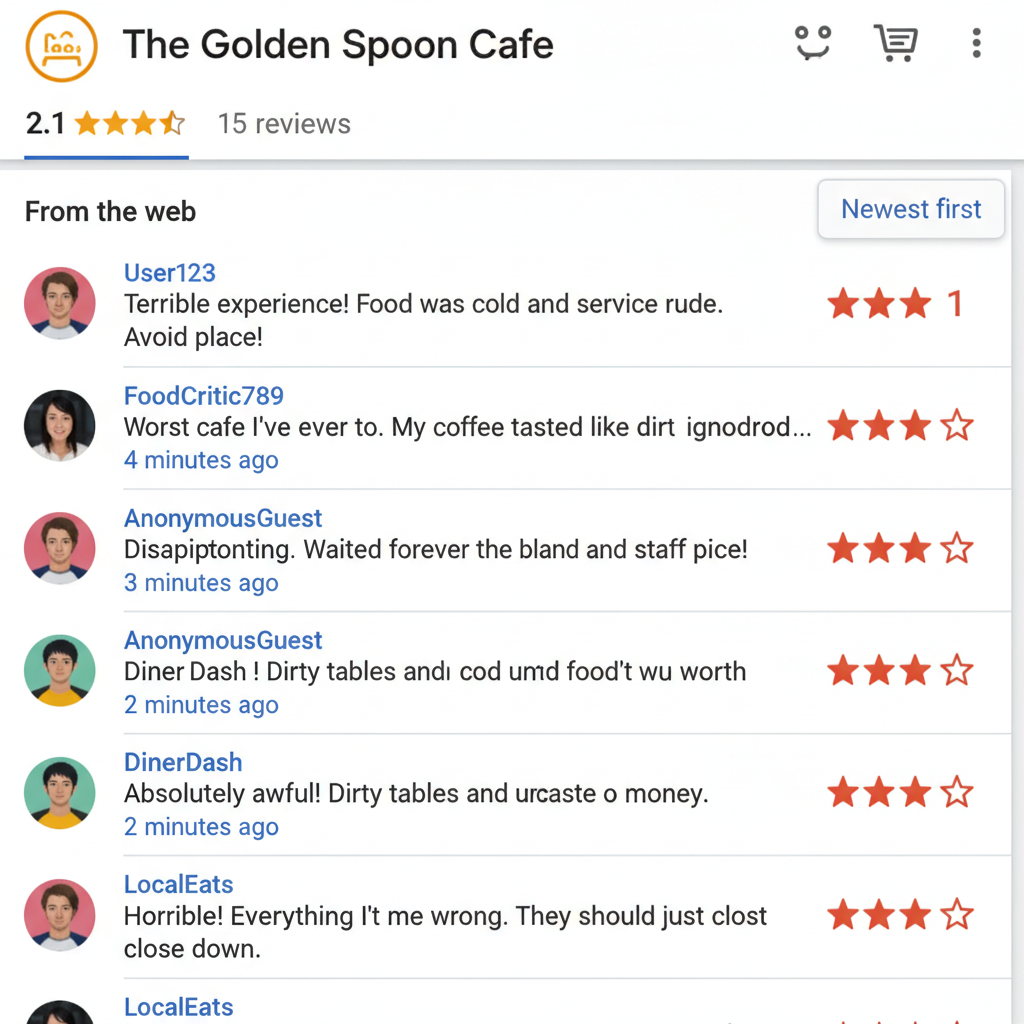
Suspicious Patterns
Multiple negative reviews appearing suddenly within a short timeframe, especially with similar wording or complaints, often indicates a coordinated attack.
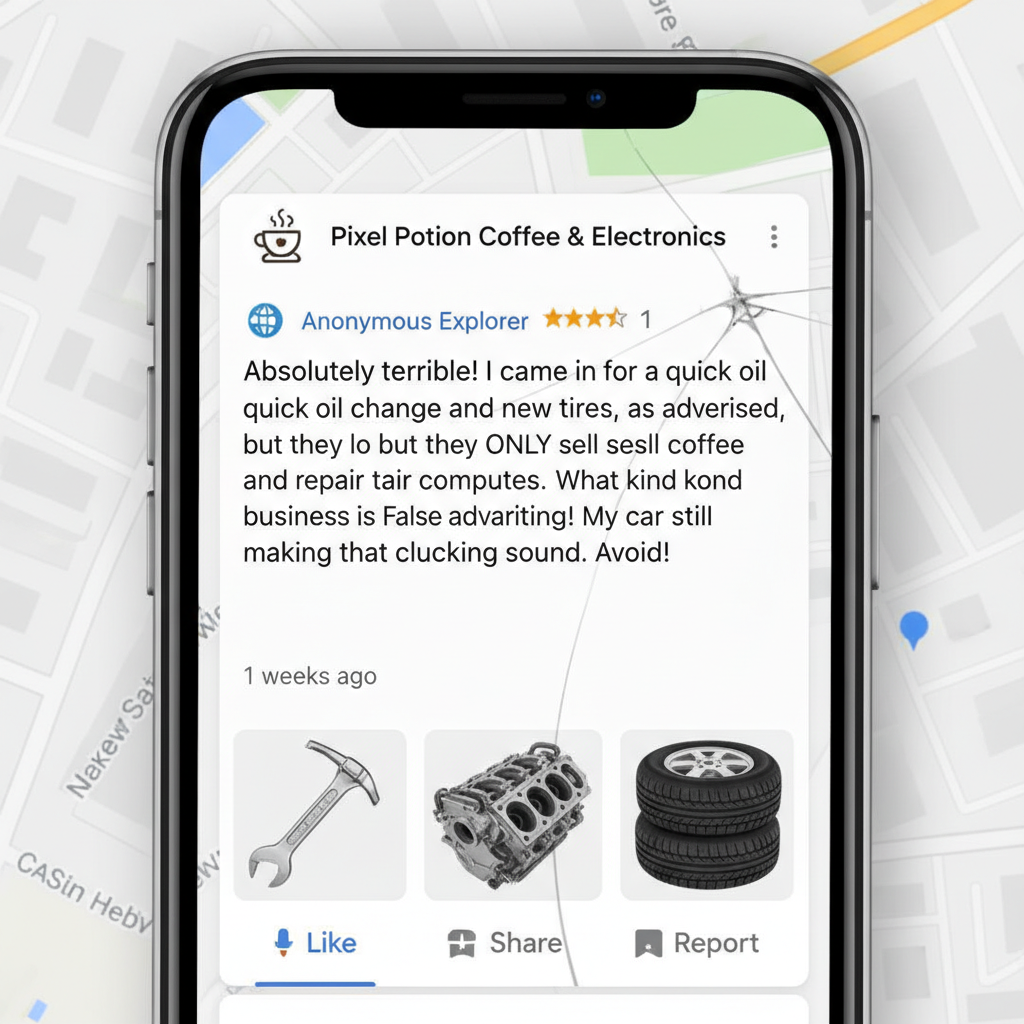
Inaccurate Information
Reviews that mention products, services, or staff members that don’t exist at your business are clear indicators of fake content.

Competitor Mentions
Reviews that specifically mention competitors in a positive light while criticizing your business may be part of a competitor’s strategy to harm your reputation.
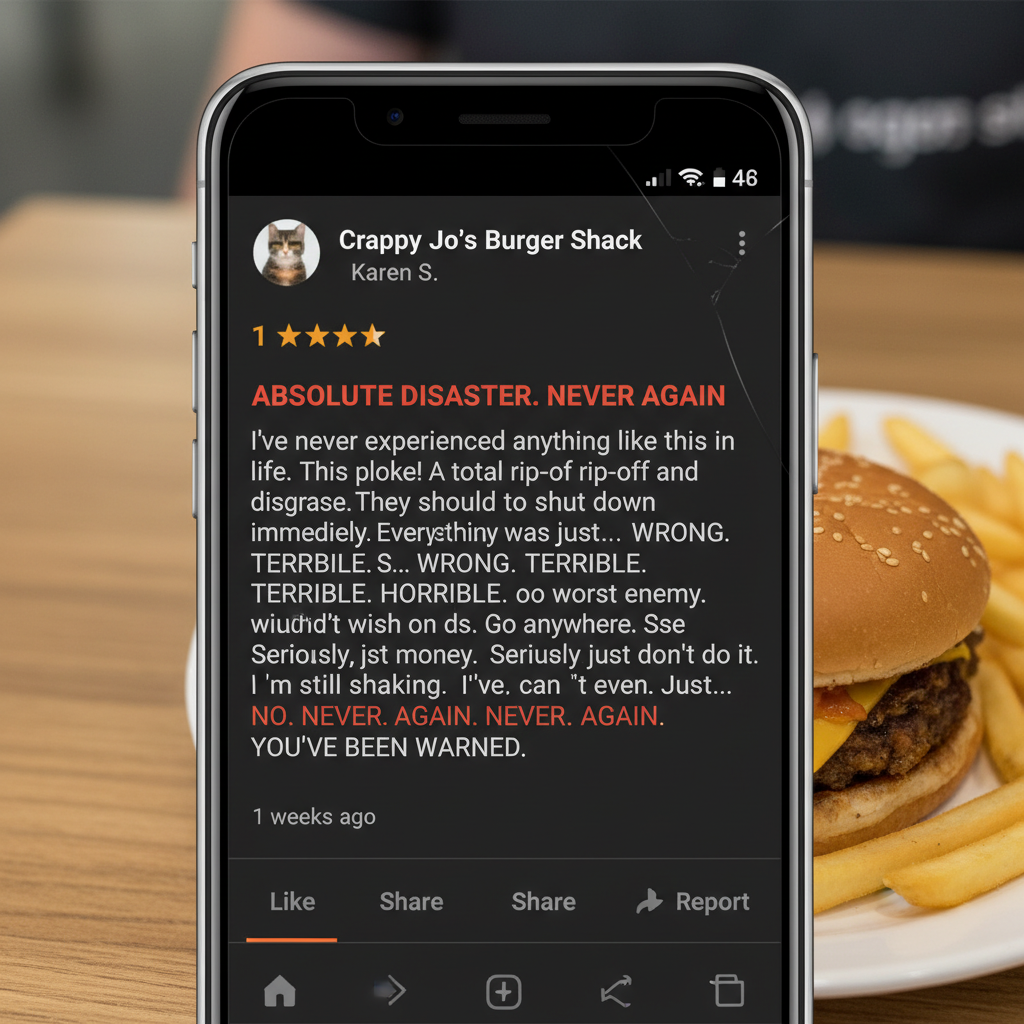
Extreme Language
Overly negative or positive language without substantiating details often indicates a fake review. Legitimate customers typically provide specific feedback.
Pro Tip: Cross-Check with Your Records
When you spot a suspicious review, check your customer database to verify if the reviewer was actually a customer. If you have no record of their visit or purchase, this strengthens the case that the review may be fake.
Understanding Google’s Review Policies
Before reporting a review, it’s important to understand what Google considers a violation of their policies. Google will only remove reviews that clearly violate their guidelines.
Types of Content Google Will Remove
- Spam and fake content: Reviews that are clearly artificial or posted by fake accounts
- Off-topic content: Reviews unrelated to the actual customer experience
- Conflict of interest: Reviews from competitors or employees
- Impersonation: Reviews from someone pretending to be someone else
- Restricted content: Reviews promoting regulated goods/services
- Illegal content: Reviews containing illegal information
- Terrorist content: Reviews promoting terrorism
- Sexually explicit content: Reviews with inappropriate material
- Offensive content: Reviews with hate speech or harassment
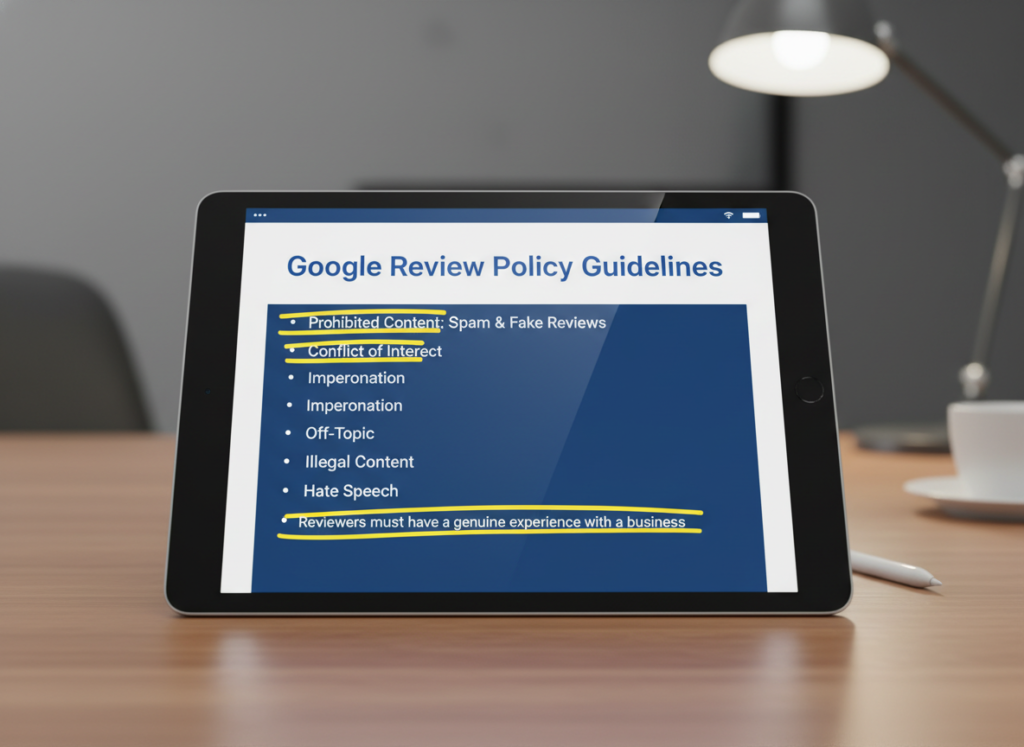
Google’s review policies prohibit various types of content that violate their guidelines.
“Important: Only report user profiles that contribute content that violates Google policies. Do not report users that contribute content you don’t like but is still factually accurate and relevant.”
Remember that Google won’t remove a review simply because it’s negative. The review must clearly violate their policies to be eligible for removal.
Need Help Managing Your Online Reputation?
Our team of experts can help you identify and remove fake reviews, improve your overall rating, and implement strategies to protect your business reputation.
Step-by-Step Guide to Flagging and Removing Fake Reviews
If you’ve identified a review that violates Google’s policies, follow these steps to report it:
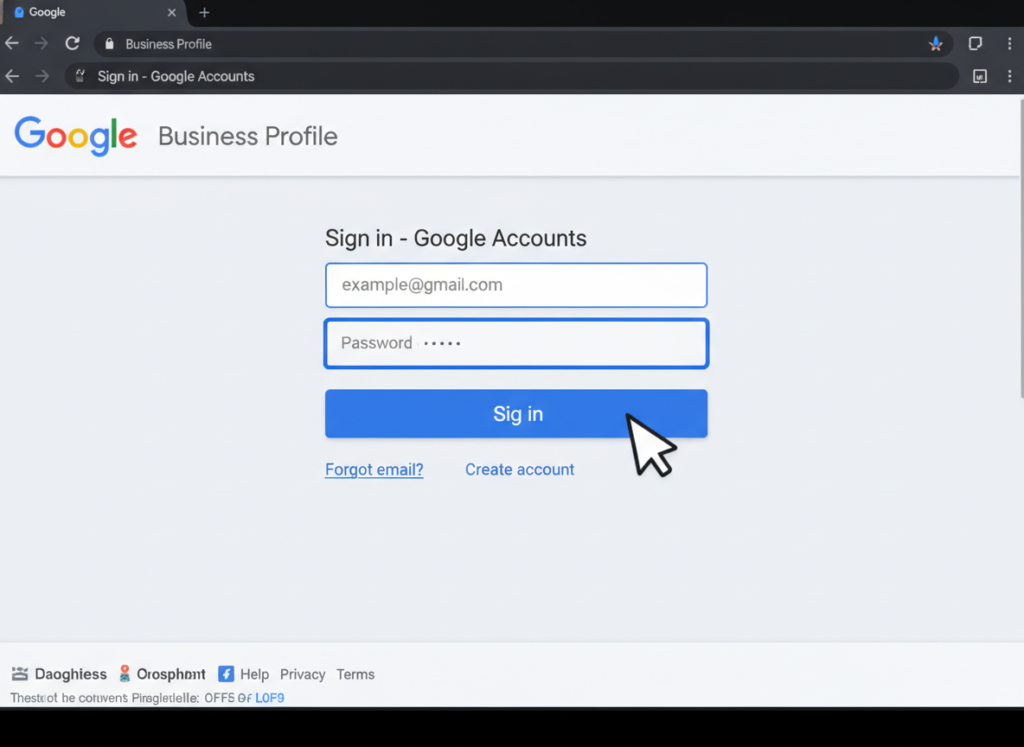
Step 1: Access Your Business Profile
Log into your Google Business Profile account. If you haven’t claimed your business yet, you’ll need to do this first through the Google Business Profile website.
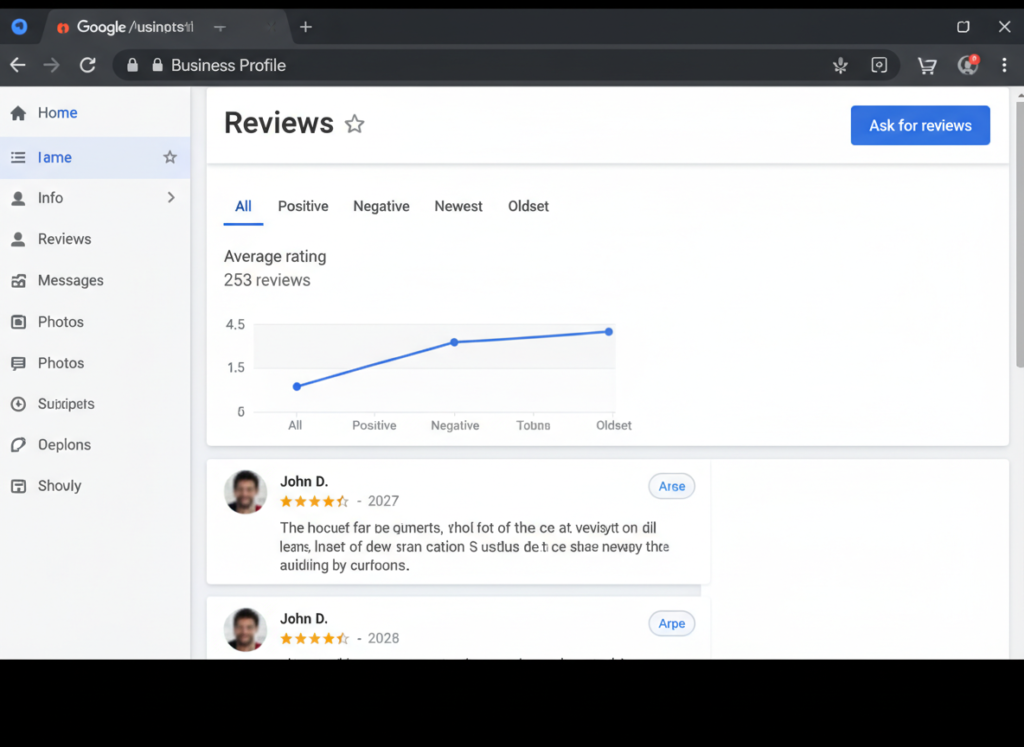
Step 2: Find the Reviews Section
From your dashboard, click on “Reviews” in the left-hand menu to see all reviews for your business.
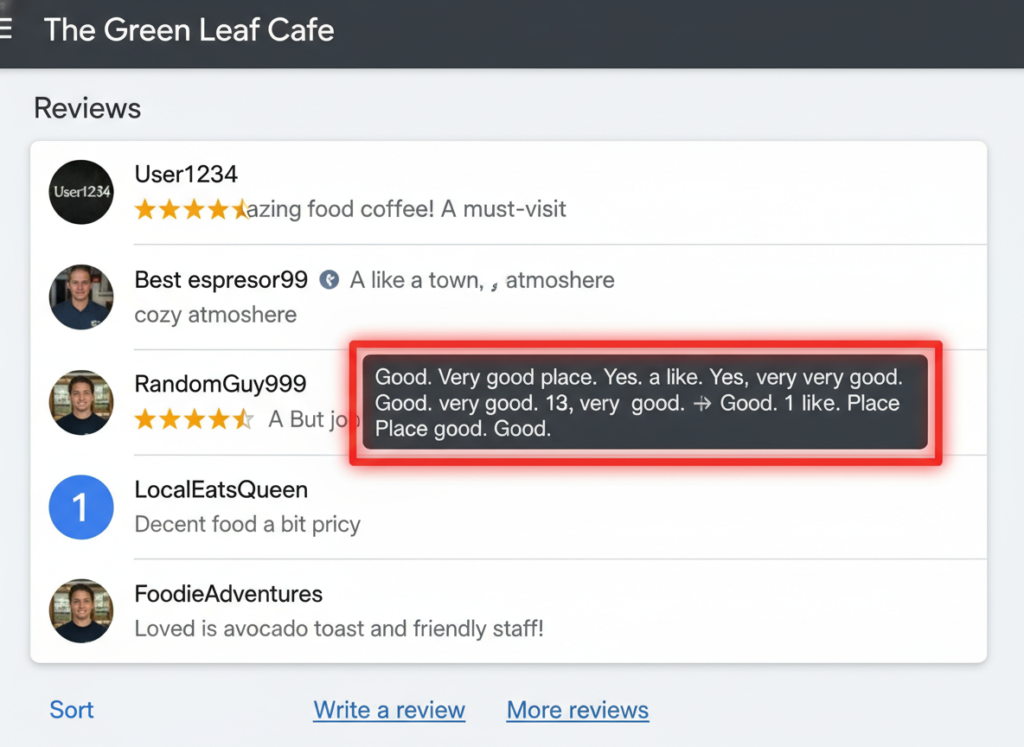
Step 3: Locate the Review
Scroll through your reviews to find the one you believe violates Google’s policies.
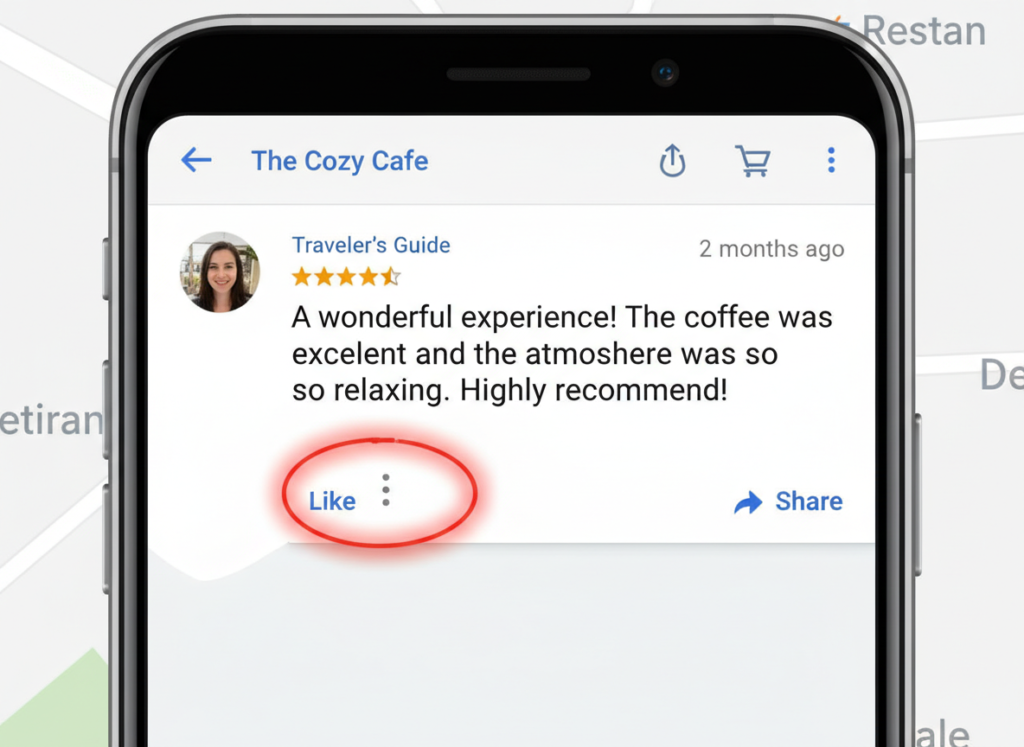
Step 4: Access the Menu
Click on the three dots (⋮) next to the review to open the options menu.
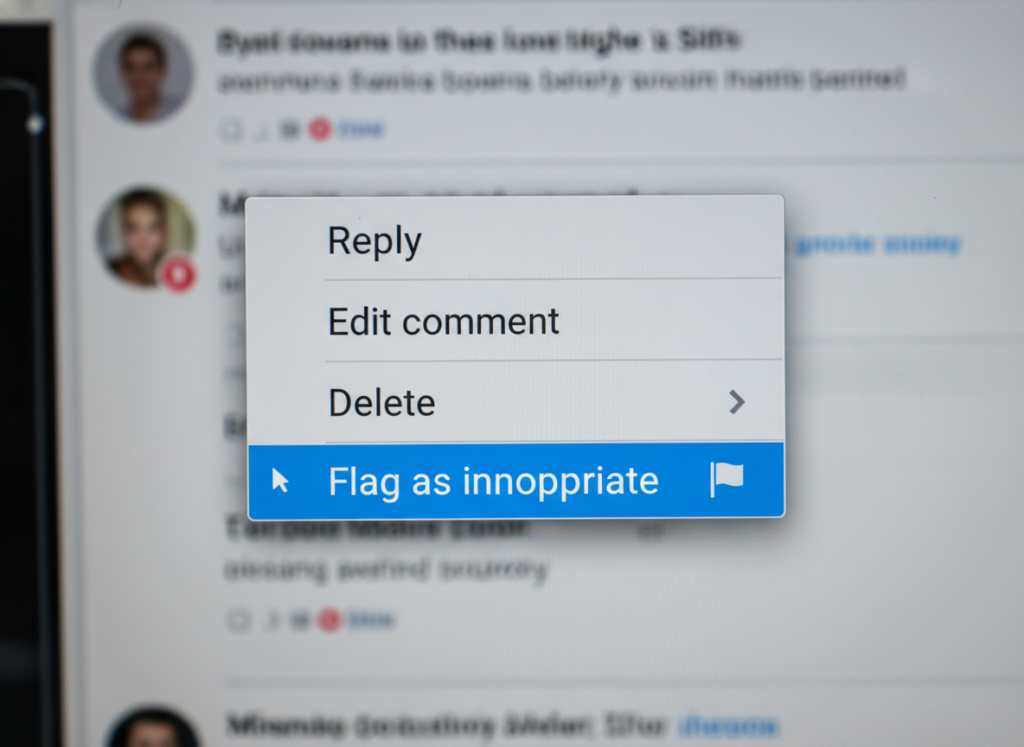
Step 5: Flag the Review
Select “Flag as inappropriate” from the dropdown menu.
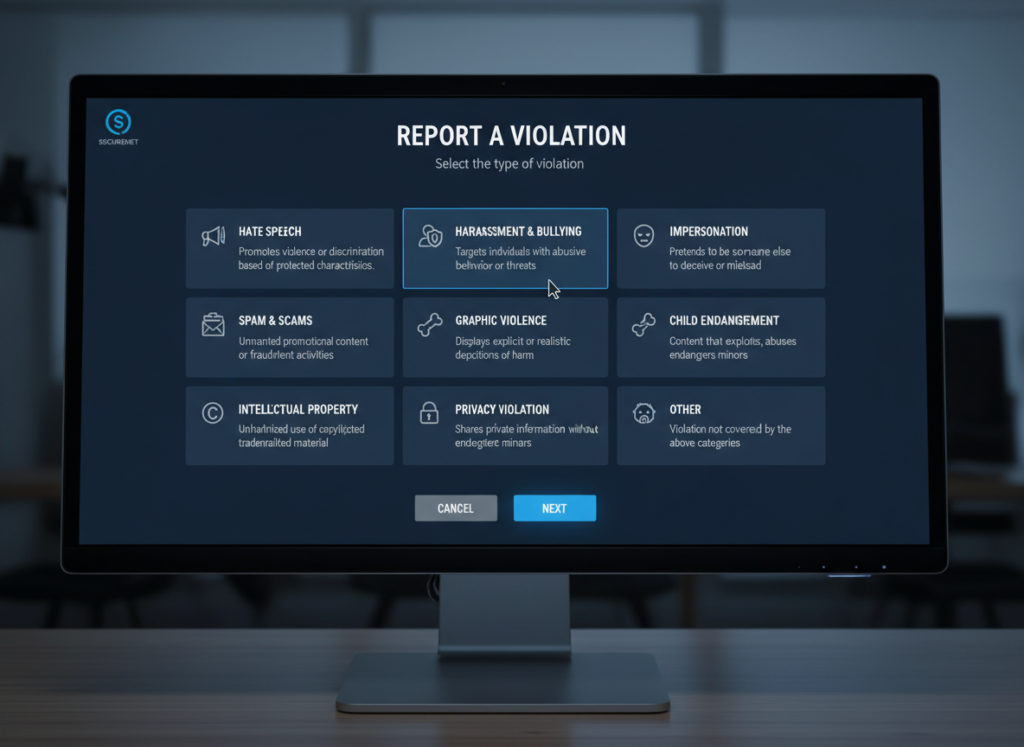
Step 6: Select the Violation
Choose the specific policy that the review violates (spam, conflict of interest, offensive content, etc.).
Alternative Method: Report via Google Maps
You can also flag reviews through Google Maps:
- Find your business on Google Maps
- Click on “Reviews”
- Find the problematic review
- Click the three dots (⋮)
- Select “Report review”
- Choose the violation type
After Reporting a Review
Once you’ve reported a review, Google will evaluate it against their policies. This process can take anywhere from a few days to a couple of weeks. You can check the status of your reported reviews through the Google Business Profile dashboard under “Reviews” > “Reported”.
If Google agrees that the review violates their policies, they will remove it. If they determine that the review doesn’t violate their policies, it will remain visible.
Best Practices for Responding to Suspicious Reviews
While waiting for Google to review your flagged content, it’s important to respond professionally to the review. This shows other customers that you take feedback seriously and are engaged with your business profile.
Do’s and Don’ts When Responding
Do
- Respond promptly and professionally
- Thank the reviewer for their feedback
- Address the specific concerns raised
- Invite them to contact you directly to resolve the issue
- Keep your response brief and to the point
Don’t
- Accuse the reviewer of lying or being fake
- Respond when emotional or angry
- Include personal information about the reviewer
- Write an overly long or defensive response
- Ignore the review completely

“Hi [Reviewer Name], Thank you for your feedback. We take all customer concerns seriously. However, we have no record of a customer with your name or this specific experience. We’d like to investigate this further. Please contact us directly at [email/phone] so we can address your concerns properly.”
Sample Response Templates
For reviews with no purchase record:
“Thank you for your feedback. We take all customer concerns seriously. However, we have no record of a customer with your name or this specific experience. We’d like to investigate this further. Please contact us directly at [email/phone] so we can address your concerns properly.”
For reviews with competitor mentions:
“Thank you for taking the time to share your thoughts. We’re committed to providing excellent service to all our customers. We notice your review mentions [Competitor], which suggests there might be some confusion. We’d appreciate the opportunity to discuss your experience directly. Please contact us at [email/phone].”
For reviews with inaccurate information:
“Thank you for your feedback. We noticed your review mentions [inaccurate service/product/staff member] which we don’t actually offer/have. We’d like to understand your experience better and ensure you’re reviewing the correct business. Please contact us directly at [email/phone] so we can assist you properly.”
Download Our Free Guide
Get our comprehensive PDF guide with templates, checklists, and step-by-step instructions for handling fake reviews and building a positive online reputation.
Proactive Reputation Management Strategies
The best defense against fake reviews is a strong offense. Implementing proactive strategies can help minimize the impact of fake reviews and strengthen your online reputation.

Encourage Genuine Reviews
Regularly ask satisfied customers to leave reviews. The more genuine positive reviews you have, the less impact a few fake negative ones will have. Send follow-up emails after purchases or create QR codes that link directly to your review page.
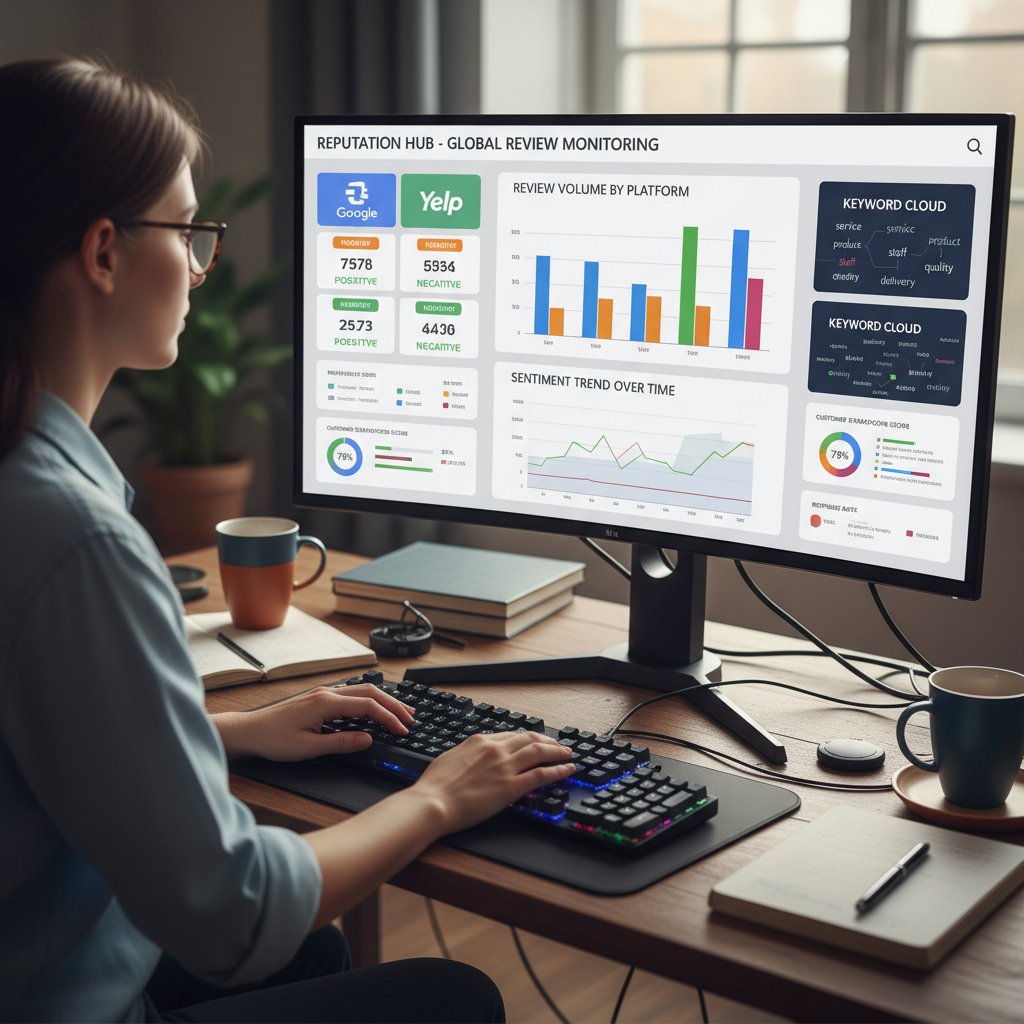
Monitor Reviews Regularly
Set up alerts to notify you of new reviews across all platforms. The sooner you spot a fake review, the quicker you can address it. Consider using review management tools to streamline this process.

Respond to All Reviews
Respond to both positive and negative reviews promptly. This shows potential customers that you value feedback and are actively engaged with your business profile.
Building a Review Generation Strategy
Implementing a systematic approach to generating genuine reviews can help protect your business from the impact of fake ones:
| Strategy | Implementation | Benefits |
| Follow-up Emails | Send automated emails 2-3 days after purchase asking for feedback | Convenient for customers, easy to track, scalable |
| QR Codes | Place QR codes on receipts, packaging, or in-store displays | Immediate access to review page, increases conversion rate |
| Staff Training | Train staff to verbally request reviews from satisfied customers | Personal touch, higher compliance rate |
| Review Management Software | Use dedicated software to automate and track review requests | Consistent approach, analytics, multi-platform management |
| Feedback Cards | Provide physical cards with review instructions | Works well for non-tech-savvy customers, tangible reminder |
Important: Avoid Review Gating
“Review gating” (the practice of screening customers and only asking satisfied ones to leave reviews) violates Google’s policies and can result in penalties. Always ask all customers for reviews, regardless of their satisfaction level.
What to Do If Google Doesn’t Remove the Fake Review
Sometimes, even when you’re certain a review is fake, Google may determine that it doesn’t violate their policies. Here are your options when this happens:
Alternative Approaches
- Appeal the decision: You can submit a one-time appeal through Google’s Review Management Tool if your initial report is rejected.
- Bury with positive reviews: Focus on generating more genuine positive reviews to push the fake one down and dilute its impact.
- Respond professionally: A well-crafted response can help potential customers see that you take feedback seriously.
- Contact the reviewer: If possible, reach out directly to see if there’s a legitimate concern you can address.
- Legal action: In cases of defamation or serious harm to your business, consult with a lawyer about potential legal options.

When to Consider Legal Action
Legal action should be a last resort, but may be appropriate when:
- The review contains demonstrably false statements
- The review is causing significant harm to your business
- You can identify the reviewer
- You have documentation proving the claims are false
Submitting an Appeal to Google
If you believe Google incorrectly rejected your review removal request, follow these steps to appeal:
- Log into your Google Business Profile
- Navigate to the Review Management Tool
- Click on “Check the status of a review I reported previously and appeals options”
- Select the review(s) you want to appeal (up to 10)
- Click “Appeal eligible reviews”
- Click “Continue” and then “Submit an appeal”
- Complete the appeal form with detailed information about why the review violates Google’s policies
- Submit your appeal and wait for Google’s response
Remember that you only get one chance to appeal, so make it count by providing clear evidence and specific policy violations.
Conclusion: Taking Control of Your Online Reputation
Dealing with fake or spam reviews on Google requires vigilance, patience, and a strategic approach. By understanding how to identify suspicious reviews, following the proper reporting procedures, and implementing proactive reputation management strategies, you can protect your business from the harmful effects of fraudulent reviews.
“Your online reputation is a digital asset that requires constant maintenance. Addressing fake reviews promptly is just one aspect of a comprehensive reputation management strategy.”
Remember that maintaining a positive online presence is an ongoing process. Regularly monitoring your reviews, encouraging satisfied customers to share their experiences, and responding professionally to all feedback will help ensure that your Google Business Profile accurately reflects the quality of your business.
By following the guidelines in this article, you’ll be well-equipped to handle fake or spam reviews when they appear and minimize their impact on your business’s reputation and success.
Need Personalized Assistance?
Our reputation management specialists can help you develop a customized strategy for handling fake reviews and building a strong online presence.
Frequently Asked Questions
How long does it take for Google to remove a fake review?
The review process typically takes anywhere from a few days to two weeks. Simple violations may be addressed quickly, while more complex cases may take longer. Google doesn’t provide specific timeframes for review removal.
Can I delete Google reviews myself?
No, business owners cannot directly delete reviews from their Google Business Profile. Only Google can remove reviews that violate their policies, or the original reviewer can delete their own review.
Is it illegal to post fake reviews?
Yes, posting fake reviews can violate various laws and regulations. In the US, the Federal Trade Commission considers fake reviews a form of false advertising. In August 2024, the FTC announced a final rule banning fake testimonials and reviews, with potential fines of up to ,744 per incident.
Can I sue someone for posting a fake review?
Yes, in some cases. If a review contains false statements that damage your business’s reputation, you may have grounds for a defamation lawsuit. However, legal action should be considered a last resort due to the time and expense involved. Consult with an attorney to evaluate your specific situation.
How many fake reviews can I expect to receive?
The number varies widely depending on your industry, visibility, and competitors. Studies suggest that up to 30% of online reviews across all platforms may be fake. Businesses in highly competitive industries or those with high visibility tend to receive more fake reviews.