How to Ask Customers for a Google Review Without Being Pushy
Google reviews can make or break your business’s online reputation. They influence search rankings, build customer trust, and drive new business—but asking for them can feel awkward. Many business owners worry about coming across as desperate or annoying their customers. The good news? There’s a way to request reviews that feels natural and respectful while still being effective.
This guide provides proven strategies to ask for Google reviews without the awkwardness. You’ll learn exactly when to ask, what to say, and how to make the process painless for both you and your customers.
Why Google Reviews Matter for Your Business
Before diving into how to ask for reviews, let’s understand why they’re worth pursuing in the first place:
Boost Local SEO
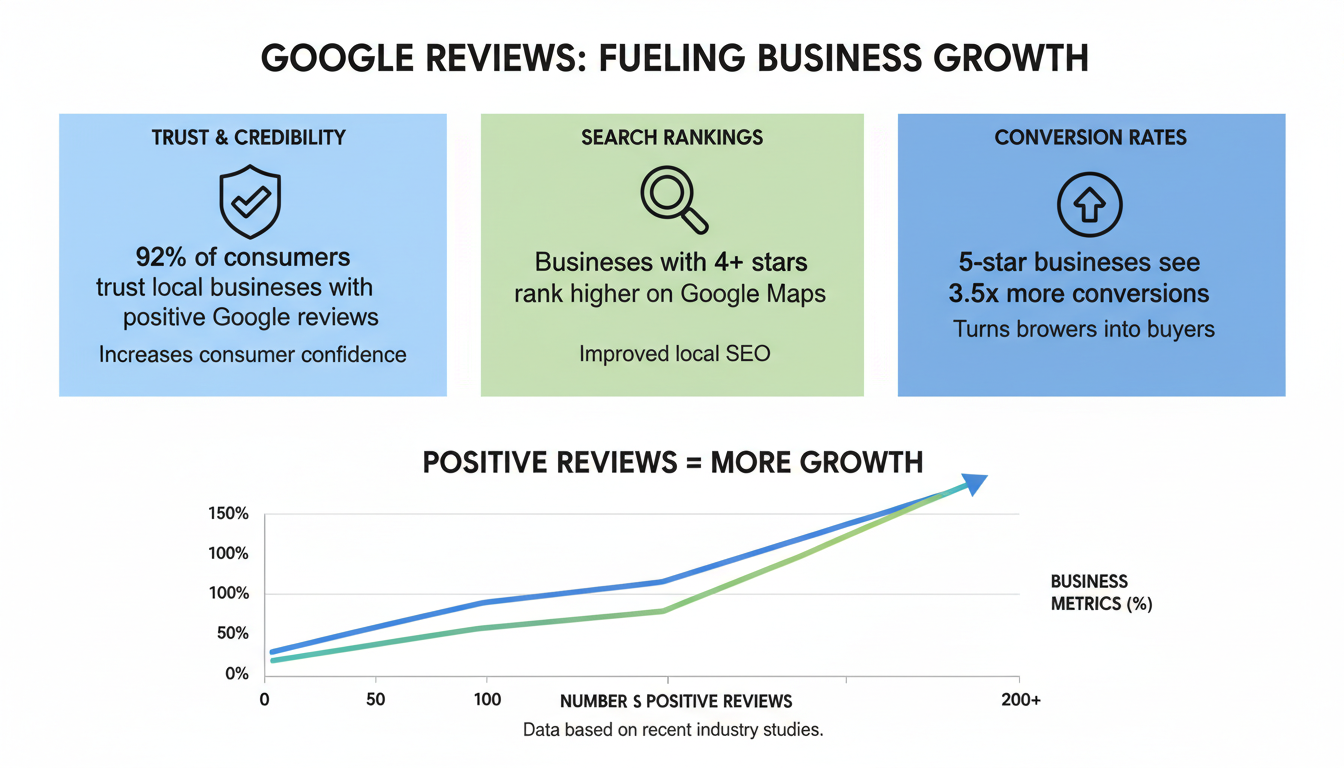
Google uses review quantity, quality, and recency as ranking factors. Businesses with more positive reviews tend to appear higher in local search results and Google Maps, making them more visible to potential customers.
Build Trust & Credibility
Over 80% of consumers trust online reviews as much as personal recommendations. A steady stream of authentic reviews provides social proof that reduces purchase anxiety for new customers.
Improve Business Operations
Reviews provide valuable feedback about what’s working and what needs improvement. This customer intelligence helps you refine your products, services, and customer experience.
Get Your Free Google Review Request Templates
Download our professionally crafted templates for email, SMS, and in-person review requests that get results without feeling pushy.
When Is the Right Time to Ask for a Google Review?
Timing is everything when asking for reviews. Request too early, and customers haven’t fully experienced your product or service. Wait too long, and the positive experience fades from memory.
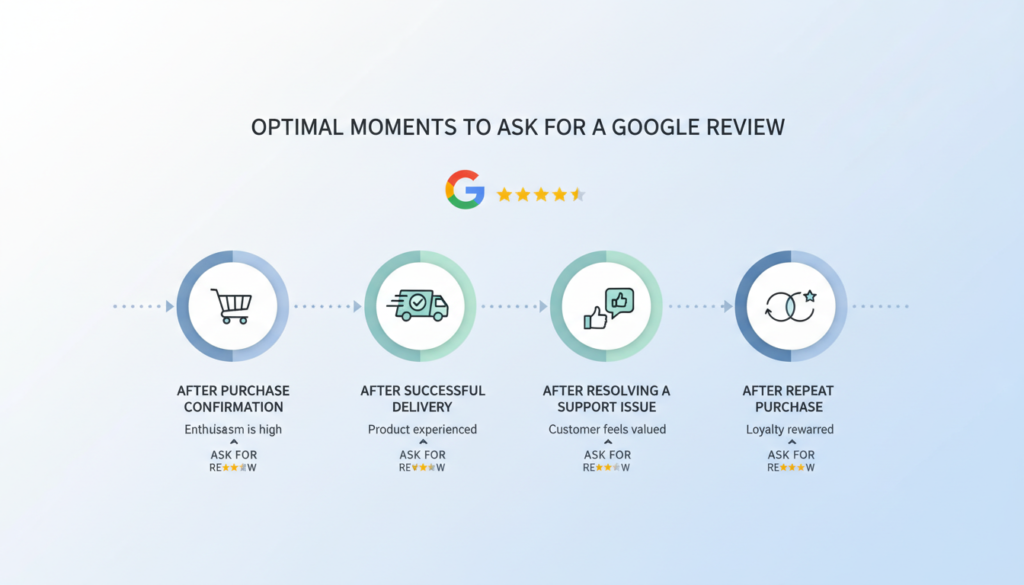
Perfect Moments to Request a Review
- After a positive comment or compliment – When a customer expresses satisfaction, they’re primed to share that feeling publicly.
- Following successful problem resolution – Customers are often most appreciative after you’ve solved an issue for them.
- At delivery or service completion – The moment of receiving value is when satisfaction is highest.
- After repeat purchases – Returning customers have demonstrated loyalty and are more likely to leave positive feedback.
- During follow-up communications – A natural time to ask is when checking in to ensure satisfaction.
| Business Type | Optimal Timing | Why It Works |
| E-commerce | 7-10 days after delivery | Customer has used the product but experience is still fresh |
| Service Business | 1-2 days after service completion | Results are visible but before the experience fades |
| Restaurants | Same day, before leaving | Experience is immediate and emotional |
| Professional Services | After project milestones | Tangible results create satisfaction peaks |
| SaaS/Software | After successful onboarding or feature use | Customer has experienced value moment |
Pro Tip: Look for “delight moments” – times when customers express happiness or satisfaction with your product or service. These emotional high points are perfect opportunities to request a review.
Best Practices for Asking for Google Reviews
The way you ask for reviews significantly impacts your success rate. Follow these proven practices to maximize positive responses while maintaining customer goodwill.
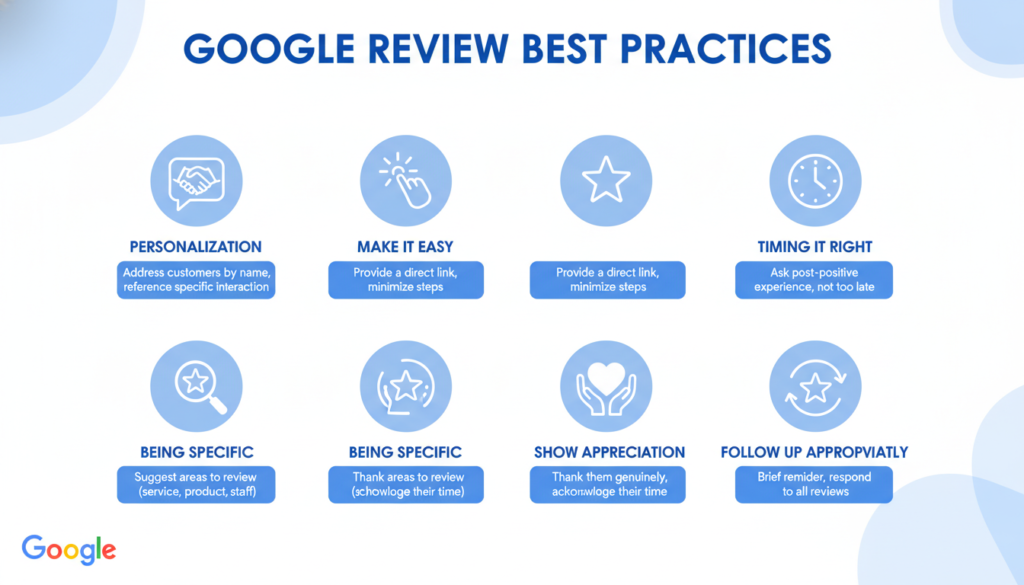
Make It Incredibly Easy
The number one rule for getting more reviews is removing friction. Every extra step reduces the likelihood of completion. Create a direct link to your Google review form and share it across all request channels.
How to Create Your Google Review Link:
- Sign in to your Google Business Profile
- From the menu, select “Home”
- Find the “Get more reviews” card and click “Share review form”
- Copy your unique review link
- Shorten it using a URL shortener if needed
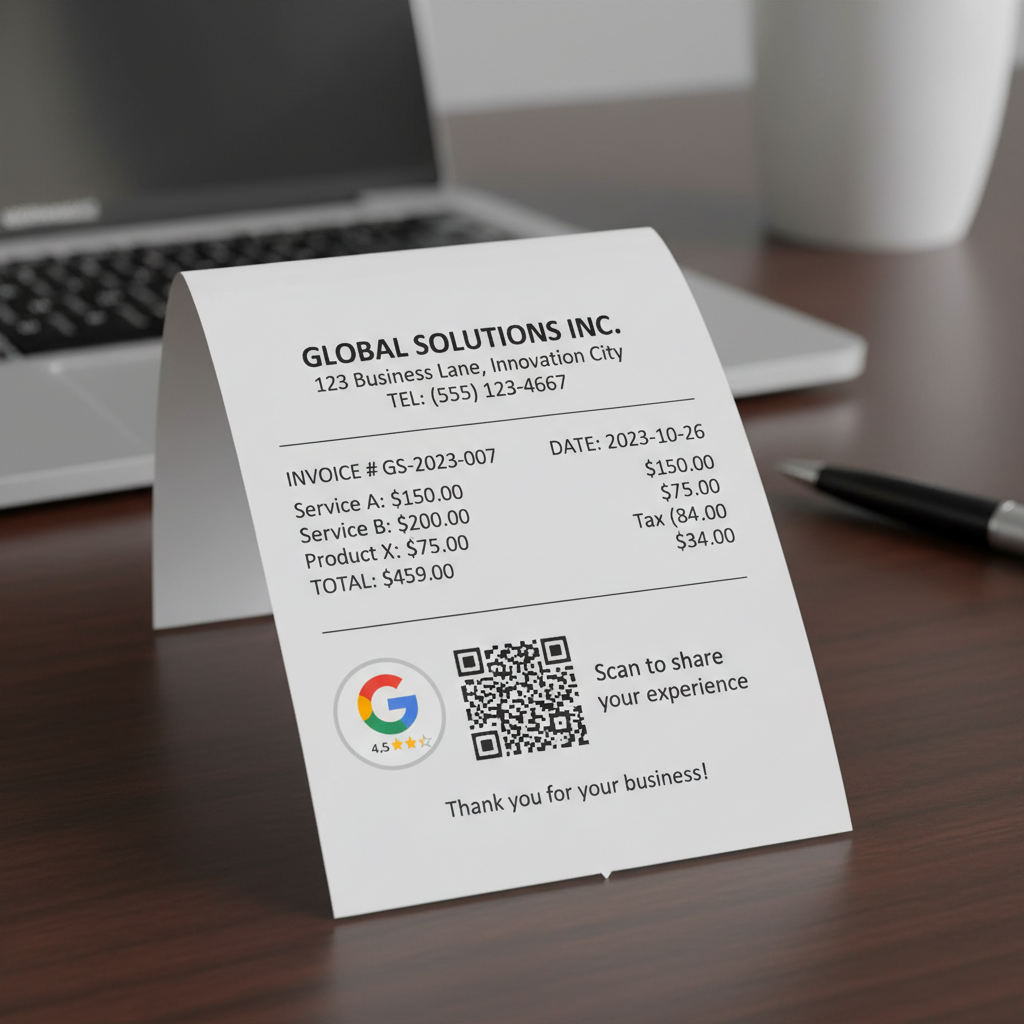
Tip: Consider creating a QR code from your review link for in-store displays, receipts, or business cards.
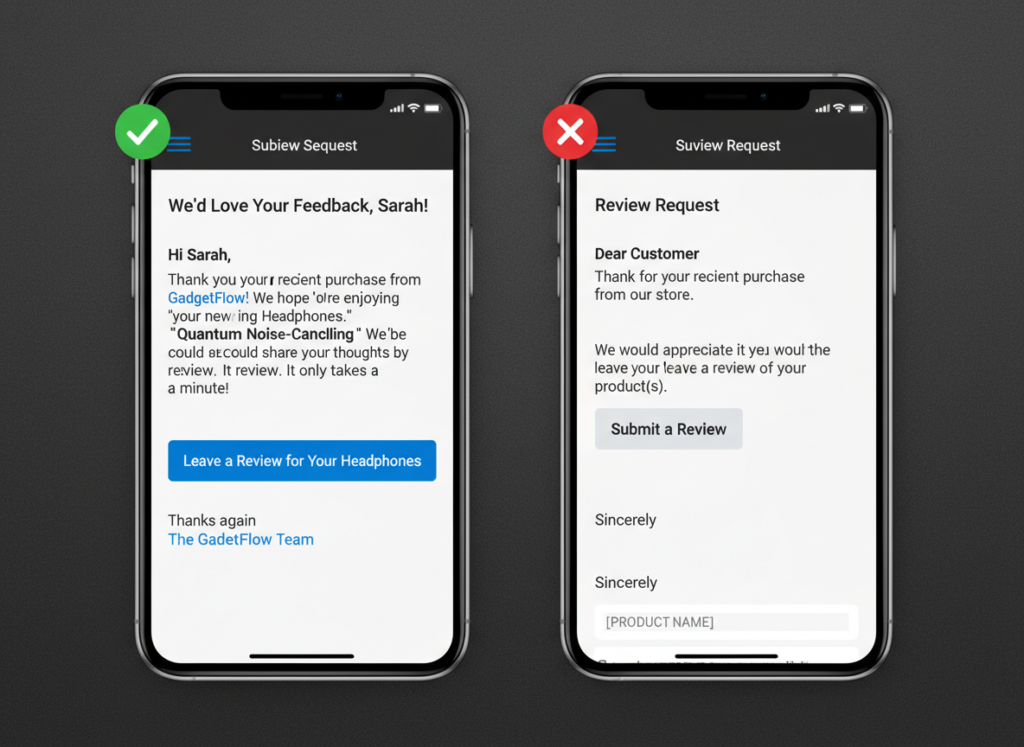
Personalize Your Request
Generic requests feel like spam. Personalize your review requests by:
- Addressing customers by name
- Referencing their specific purchase or service
- Mentioning something unique about your interaction
- Having the request come from a specific team member
Be Transparent About Time Requirements
Let customers know exactly how long the review process will take. Saying “it only takes 30 seconds” or “just a few clicks” reduces perceived effort and increases completion rates.
Explain Why Reviews Matter
Briefly explain how reviews help your business and other customers. People are more likely to leave a review when they understand its impact. For example: “Your review helps other parents find safe childcare options in our community.”
Ready to Implement These Best Practices?
Our review request template pack includes pre-written messages that incorporate all these best practices—just customize and send!
How to Ask for Google Reviews: Templates & Examples
Having the right words makes asking for reviews much easier. Here are effective templates for different communication channels that you can customize for your business.
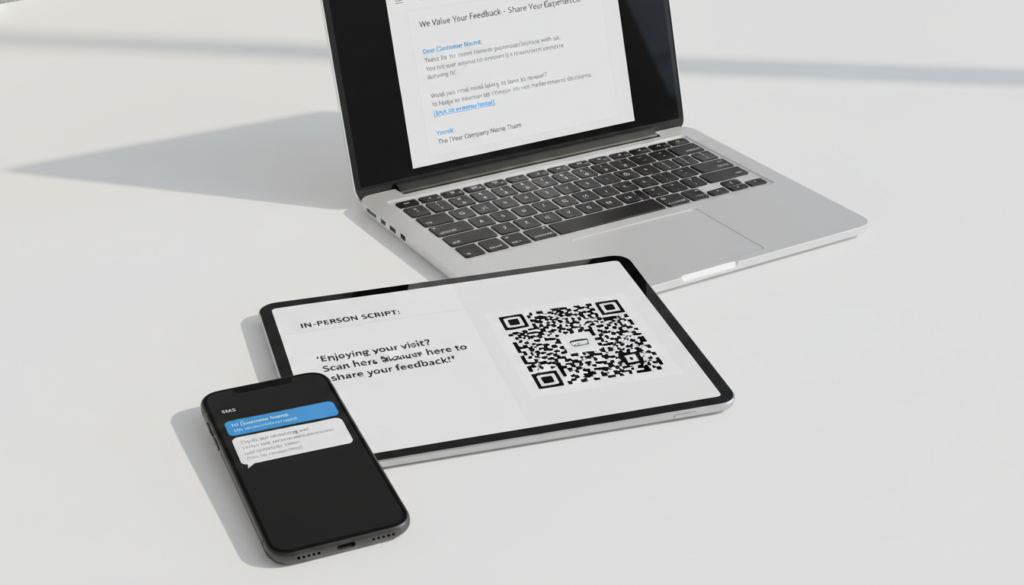
Email Request Templates
Subject: Quick favor? Share your experience with [Business Name]
Hi [Customer Name],
Thank you for [specific interaction, e.g., “visiting our salon yesterday” or “purchasing the bamboo cutting board”]. I hope you’re enjoying [benefit of product/service]!
If you have a moment, we’d really appreciate it if you could share your experience with a quick Google review. It only takes about 30 seconds and helps other [target customer type] find us online.
Here’s the link: [Your Google Review Link]
Thank you so much for your support!
[Your Name]
[Business Name]
SMS/Text Message Templates
Hi [Name], thanks for [specific interaction]! If you enjoyed your experience, would you mind leaving us a quick Google review? It only takes 30 seconds: [shortened review link] Thanks!
Thanks for choosing [Business Name], [Customer Name]! How was everything? We’d love your feedback in a quick Google review: [shortened review link]
In-Person Script
“I’m so glad to hear you’re happy with [product/service]! We’re a small business, and Google reviews really help others find us. If you have a moment when you get home, would you mind leaving us a quick review? I can text/email you the link to make it easy.”
Receipt/Invoice Template
Enjoying your purchase? We’d love to hear about it!
Scan this QR code to leave a quick Google review:
[QR Code Image]
Your feedback helps us improve and helps others discover [Business Name]. Thank you!
Integrating Review Requests Into Your Workflow
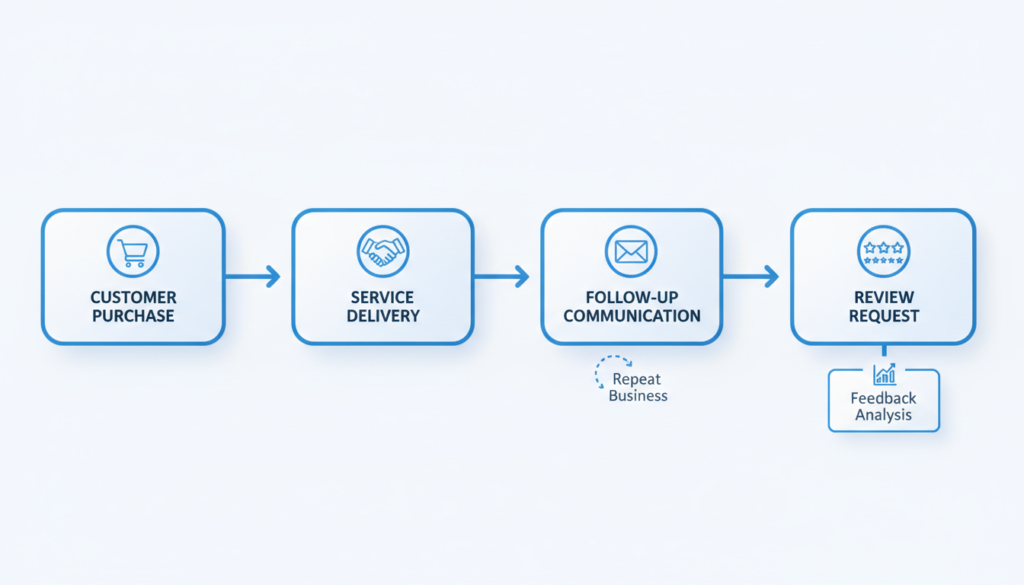
For consistent results, review requests should become a standard part of your business operations. Here’s how to seamlessly incorporate them into your existing workflows.
Automation Options
Save time and ensure consistency by automating your review requests:
- Email Marketing Platforms: Set up automated follow-up emails that trigger after purchase or service completion.
- CRM Systems: Program review request tasks to appear at appropriate intervals in your customer journey.
- SMS Marketing Tools: Schedule text message review requests to send at optimal times.
- Review Management Software: Use dedicated platforms that streamline the entire review collection process.
Staff Training
Ensure your team knows how and when to ask for reviews:
- Train staff on identifying appropriate moments to request reviews
- Provide scripts and practice through role-playing exercises
- Create a simple process for sharing review links (text message templates, business cards with QR codes, etc.)
- Establish clear responsibilities for who asks and when
Tracking and Optimization
Monitor your review acquisition efforts to improve over time:
- Track which request methods generate the most reviews
- Note which team members are most successful at generating reviews
- Test different message templates to see which perform best
- Adjust timing based on response patterns
What NOT to Do When Asking for Google Reviews
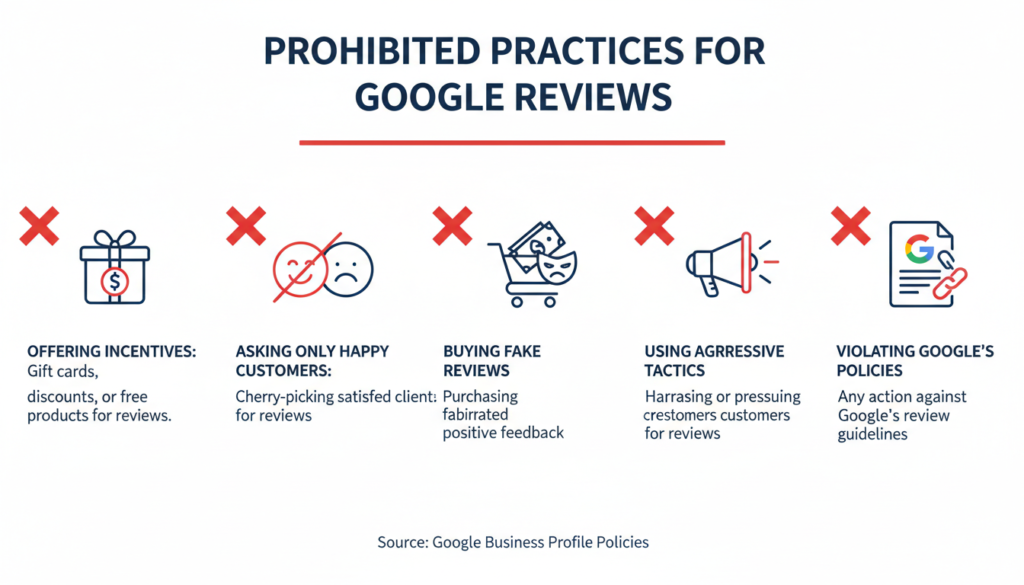
Knowing what to avoid is just as important as knowing what to do. These practices can damage your reputation and potentially violate Google’s policies.
Practices to Avoid
- Offering incentives for reviews – Google explicitly prohibits offering money, discounts, or gifts in exchange for reviews.
- Asking only satisfied customers – “Review gating” (filtering for only positive reviews) violates Google’s policies.
- Pressuring customers – Aggressive or repeated requests create negative experiences.
- Writing reviews for customers – Never write reviews on behalf of customers, even with their permission.
- Setting up review stations – Having devices where multiple customers leave reviews from the same location can trigger Google’s spam filters.
- Buying fake reviews – Purchasing reviews violates Google’s terms and can result in penalties.
“We don’t allow merchants to ask for reviews in exchange for discounts, free products or services, or other incentives. Reviews should reflect genuine customer experiences, not be influenced by rewards.”
Important: Google’s algorithms are increasingly sophisticated at detecting unnatural review patterns. Ethical review acquisition isn’t just the right thing to do—it’s the only sustainable approach.
Responding to Reviews: Completing the Circle
Requesting reviews is only half the equation. How you respond to reviews—both positive and negative—demonstrates your commitment to customer feedback and can encourage more reviews in the future.
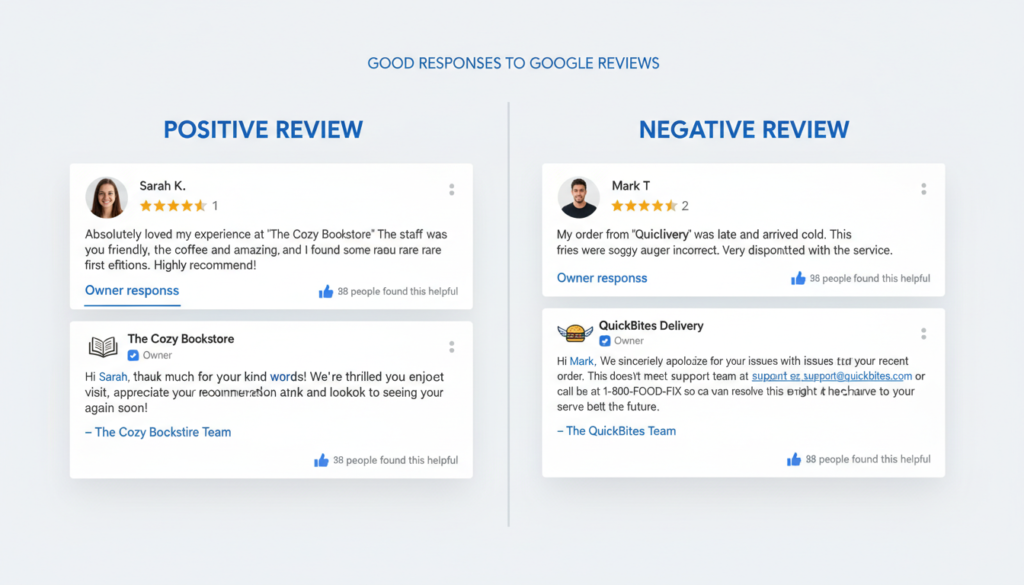
Responding to Positive Reviews
Even brief positive reviews deserve acknowledgment:
Customer Review: “Great service and friendly staff! Will definitely come back.”
Your Response: “Thank you so much for your kind words, [Name]! We’re thrilled you had a positive experience and look forward to serving you again soon. Your support means the world to our small team.”
Responding to Negative Reviews
Negative reviews present an opportunity to demonstrate your commitment to customer satisfaction:
Customer Review: “Disappointed with the long wait time and the quality wasn’t what I expected.”
Your Response: “Thank you for your feedback, [Name]. We’re truly sorry your experience didn’t meet expectations. We’d like to make this right and learn more about what happened. Please contact us at [phone/email] so we can address your concerns personally. We appreciate the opportunity to improve.”
- Respond promptly – Aim to reply within 24-48 hours.
- Be professional and courteous – Even when the review feels unfair.
- Personalize each response – Avoid copy-paste templates.
- Thank reviewers for their feedback – Appreciation goes a long way.
- Address specific points – Show you’re really listening.
- Take responsibility – Avoid making excuses or being defensive.
- Move resolution offline – Provide contact information for further discussion.
Building a Sustainable Review Strategy
Requesting Google reviews doesn’t have to feel uncomfortable or pushy. By focusing on the right timing, making the process easy, and using respectful, personalized language, you can build a steady stream of authentic reviews that boost your business’s visibility and credibility.
Remember that the best review strategy is built on delivering exceptional experiences worth talking about. When customers are genuinely impressed with your product or service, a gentle nudge is often all it takes to inspire them to share their experience.

Start Collecting More Google Reviews Today
Download our complete Google Review Request Template Pack with ready-to-use emails, SMS messages, scripts, and QR code templates.
Is it against Google’s policies to ask for reviews?
No, Google explicitly allows and even encourages businesses to ask customers for reviews. What’s prohibited is offering incentives in exchange for reviews or selectively soliciting only positive reviews.
How many Google reviews should I aim for?
There’s no magic number, but research suggests businesses should aim for at least 40 reviews to establish credibility. More important than quantity is maintaining a steady flow of recent reviews, as recency is a factor in both consumer trust and search rankings.
What if a customer leaves a negative review after I ask?
Negative reviews, while not ideal, provide valuable feedback and add authenticity to your profile. Respond professionally, address their concerns, and offer to make things right. A well-handled negative review can actually demonstrate your commitment to customer satisfaction.