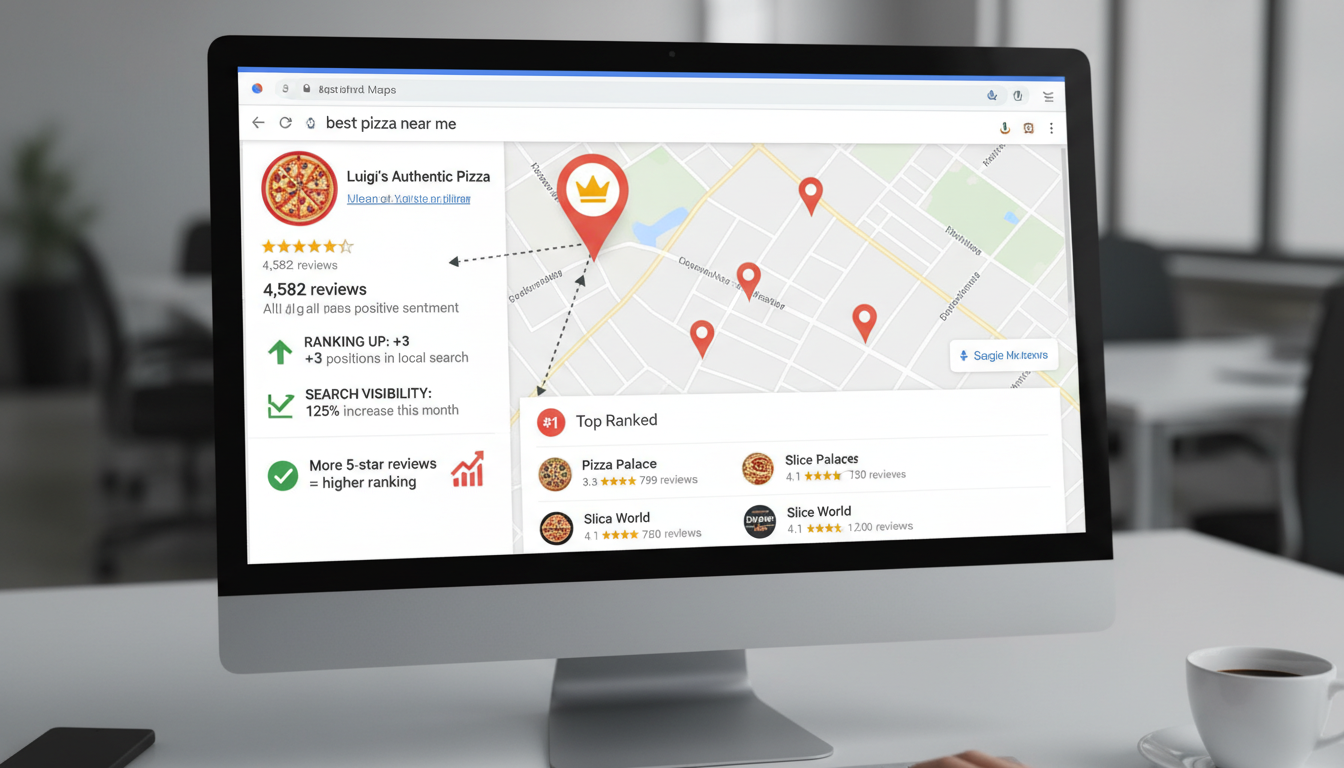
Why Google Reviews Matter for Local Search Rankings
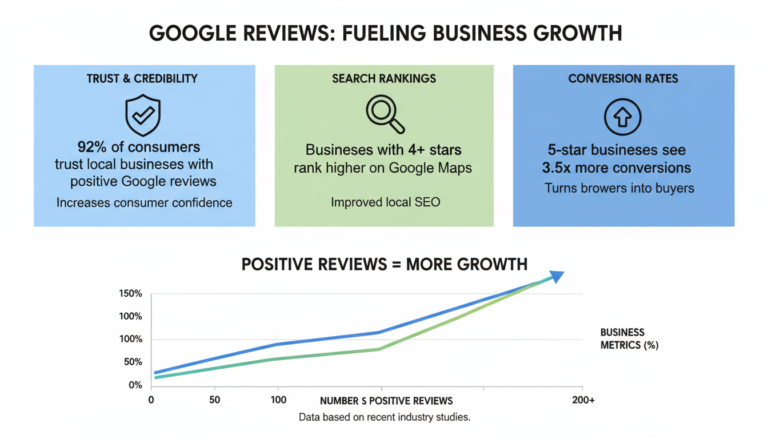
When it comes to local search visibility, Google reviews have become one of the most powerful ranking factors. They not only influence how potential customers perceive your business but directly impact where your business appears in Google Maps and local search results. With 81% of consumers using Google reviews to evaluate businesses and make buying decisions, the importance of a strong review profile cannot be overstated.
In this comprehensive guide, we’ll explore exactly how Google uses reviews in its ranking algorithm, the specific benefits reviews provide beyond SEO, and actionable strategies you can implement today to improve your review profile and boost your local search rankings.
The Direct Impact of Google Reviews on Local Search Rankings
Google reviews aren’t just testimonials from your customers – they’re powerful signals that Google’s algorithm uses to determine your business’s relevance, prominence, and trustworthiness in local search results. When users search for local businesses, Google displays results in three key places:
- The Local Pack (the map with three business listings that appears at the top of search results)
- Google Maps results
- Organic search listings with local intent
Google has confirmed that reviews are a significant factor in determining which businesses appear in these coveted positions. In fact, according to recent studies, review signals account for approximately 16% of the local pack ranking factors and 15% of the local organic ranking factors.
Key Insight: Businesses ranking in positions 1-3 in Google local searches have an average of 21% more reviews than businesses ranking in positions 4-10.
But it’s not just about having more reviews than your competitors. Google’s algorithm has become increasingly sophisticated in how it evaluates review signals, looking at multiple factors that we’ll explore in the next section.
How Google Uses Reviews for Ranking: The Algorithm Factors
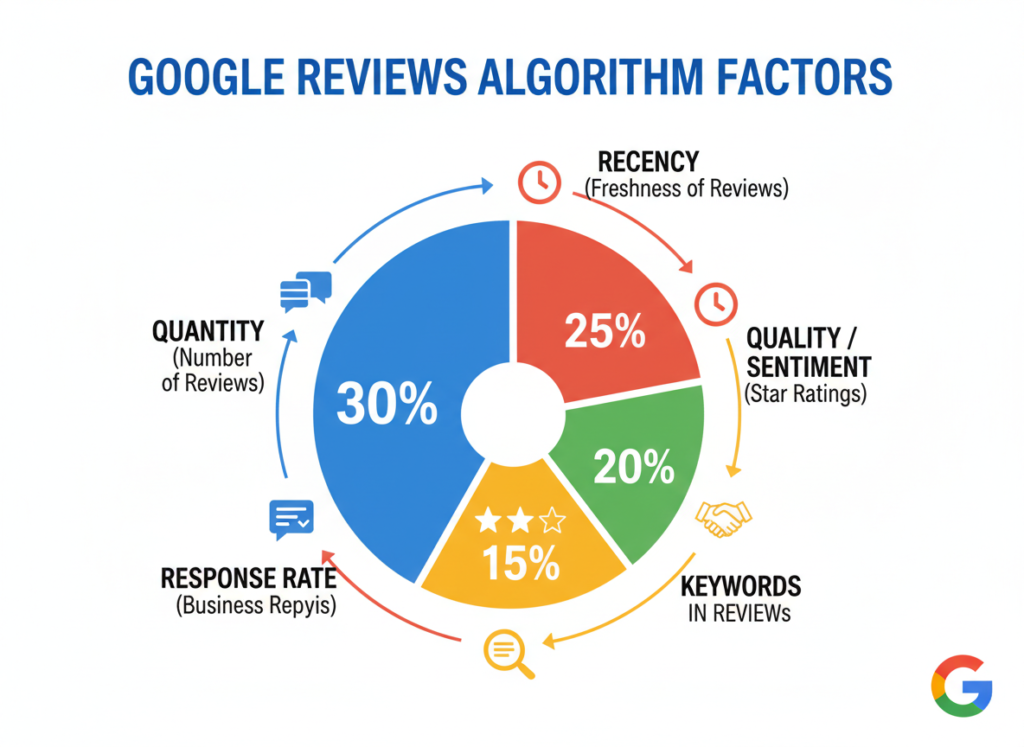
Google’s local search algorithm evaluates reviews across multiple dimensions to determine your business’s ranking. Understanding these factors is essential for developing an effective review strategy.
Quantity: More Reviews, Higher Visibility
The total number of Google reviews your business has collected serves as a primary ranking signal. Businesses with more reviews tend to rank higher in local search results. This is because a higher volume of reviews indicates greater customer engagement and business popularity – both signals that Google values when determining which businesses to show to searchers.
Research shows that for every 10 new reviews earned, conversion rates from Google Business Profiles improve by 2.8%. At the top end of the scale, an increase of 40 reviews in a given month corresponds to an 11.2% boost in conversions.
Recency: Fresh Reviews Matter More
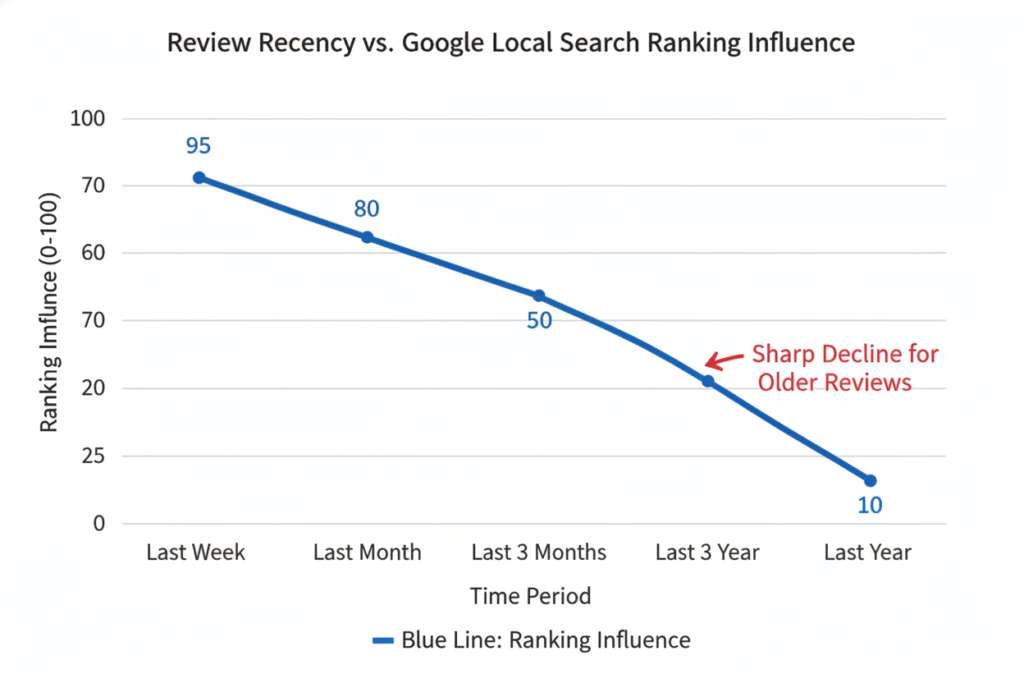
Google prioritizes businesses that consistently receive new reviews over those with stagnant review profiles. Recent reviews signal to Google that a business is currently active and providing services that customers want to talk about.
The algorithm gives more weight to reviews from the past three months, with diminishing value for older reviews. This means that even if you’ve collected hundreds of reviews in the past, you need to maintain a steady stream of fresh reviews to maintain your ranking position.
Quality and Sentiment: Star Ratings Matter
The overall star rating of your business plays a crucial role in rankings. Businesses with higher average ratings (typically 4.0 stars and above) tend to rank better than those with lower ratings. Google’s algorithm can also analyze the sentiment within review text to understand customer satisfaction levels.
An increase in one full star rating (for instance, from 3.0 to 4.0 stars) corresponds with a 44% increase in conversions from Google Business Profiles. Each tenth of a star increases conversion rate by 4.4%.
Keywords in Reviews: Content Relevance
Google’s algorithm scans the text of reviews for keywords related to your business category, services, and location. Reviews that contain these relevant keywords help Google understand what your business offers and when to show it in search results.
For example, if multiple reviews mention “best deep dish pizza in Chicago,” Google will be more likely to show your business when users search for “deep dish pizza in Chicago.” This makes detailed, specific reviews particularly valuable for SEO purposes.
Owner Response Rate: Engagement Signals
How actively you respond to reviews has become an increasingly important ranking factor. Google views businesses that respond to reviews (both positive and negative) as more engaged and customer-focused.
Research shows that responding to 100% of reviews, as opposed to none, increases conversion rates by 16.4%. Every 25% of reviews responded to improves conversion by approximately 4.1%.
Want to see how your review profile stacks up?
Get a free analysis of your current Google reviews and see how they’re impacting your local search rankings.
Key Benefits of Google Reviews Beyond Rankings
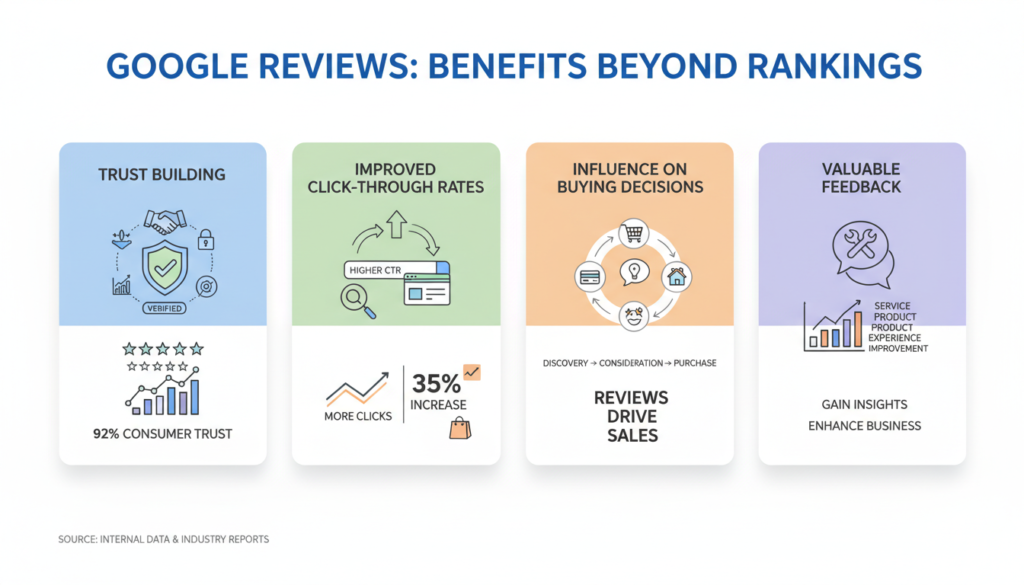
While the SEO advantages of Google reviews are significant, their benefits extend far beyond search rankings. Understanding these additional benefits can help you appreciate the full value of a strong review profile.
Building Trust and Credibility
Google reviews serve as powerful social proof that influences how potential customers perceive your business. In fact, 88% of consumers trust online reviews as much as personal recommendations from friends or family.
When prospects see positive reviews from real customers, it reduces perceived risk and increases their confidence in choosing your business. This trust factor is especially important for service-based businesses or higher-priced offerings where the customer’s decision involves greater commitment.
“Reviews on Google help us to help more people like you. When you have a minute, please share your feedback about our business!”
Improving Click-Through Rates
Businesses with higher star ratings and more reviews tend to attract more clicks in search results. When users see a business with a 4.5-star rating and 150 reviews next to one with a 3.2-star rating and 20 reviews, they’re naturally drawn to the option with stronger social validation.
This increased click-through rate creates a positive feedback loop: more clicks lead to more visits, which can lead to more customers and more reviews, further strengthening your position in search results.
Did you know? Consumers read a minimum of 10 reviews before feeling confident in making a purchase decision. The more Google customer reviews you have, the more likely a purchase is to be made.
Influencing Buying Decisions
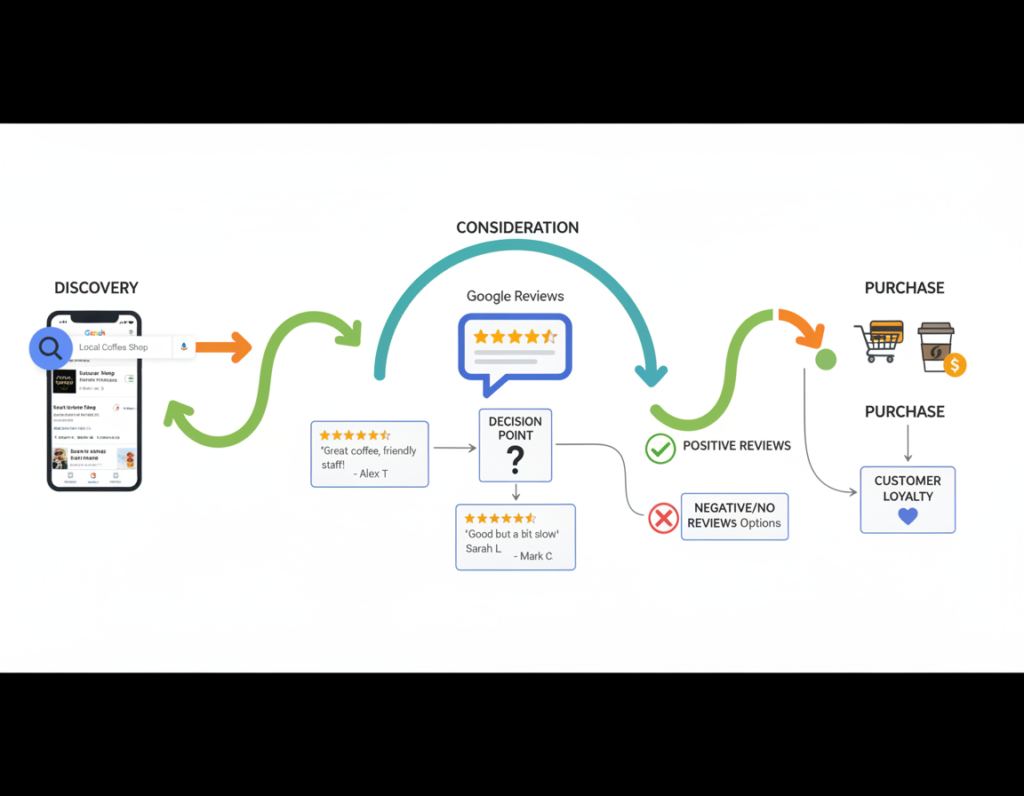
Google reviews don’t just help customers find your business – they play a crucial role in the decision-making process. Reviews provide potential customers with insights about your products or services from the perspective of actual users, helping them determine if your offering meets their specific needs.
Research shows that 94% of consumers say a negative review has convinced them to avoid a business. On the flip side, positive reviews can be the final push that converts a hesitant prospect into a paying customer.
Providing Valuable Customer Feedback
Google reviews offer a wealth of insights about your customers’ experiences, preferences, and pain points. By analyzing review content, you can identify patterns and trends that help you improve your products, services, and overall customer experience.
This feedback loop is invaluable for business growth. Reviews might highlight aspects of your business that customers particularly value (which you can then emphasize in your marketing) or point out areas for improvement that you might not have otherwise identified.
Actionable Strategies for Getting More Google Reviews
Now that you understand the importance of Google reviews for your local search rankings and overall business success, let’s explore proven strategies for increasing both the quantity and quality of reviews your business receives.
Create a Google Review Link Shortcut
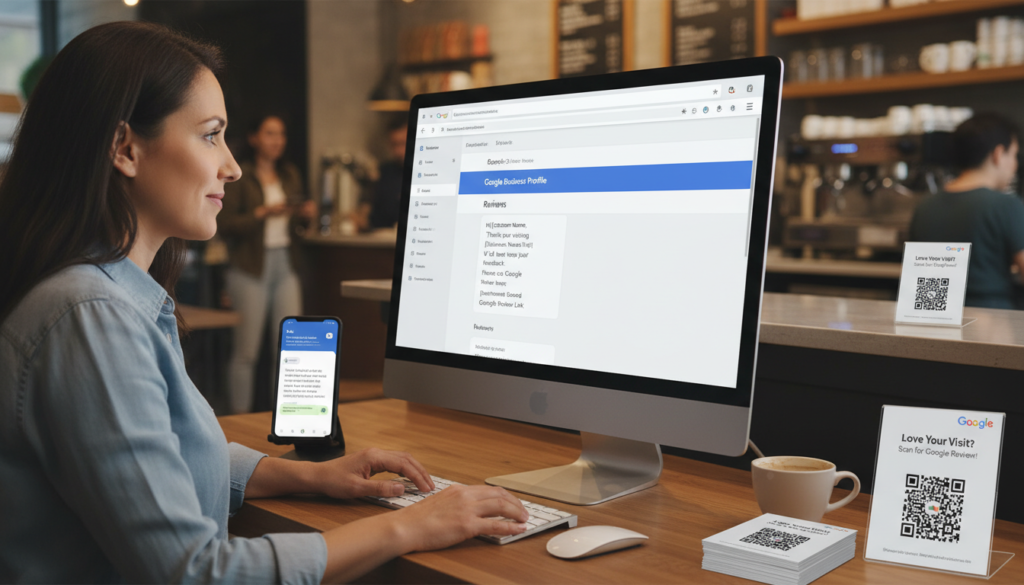
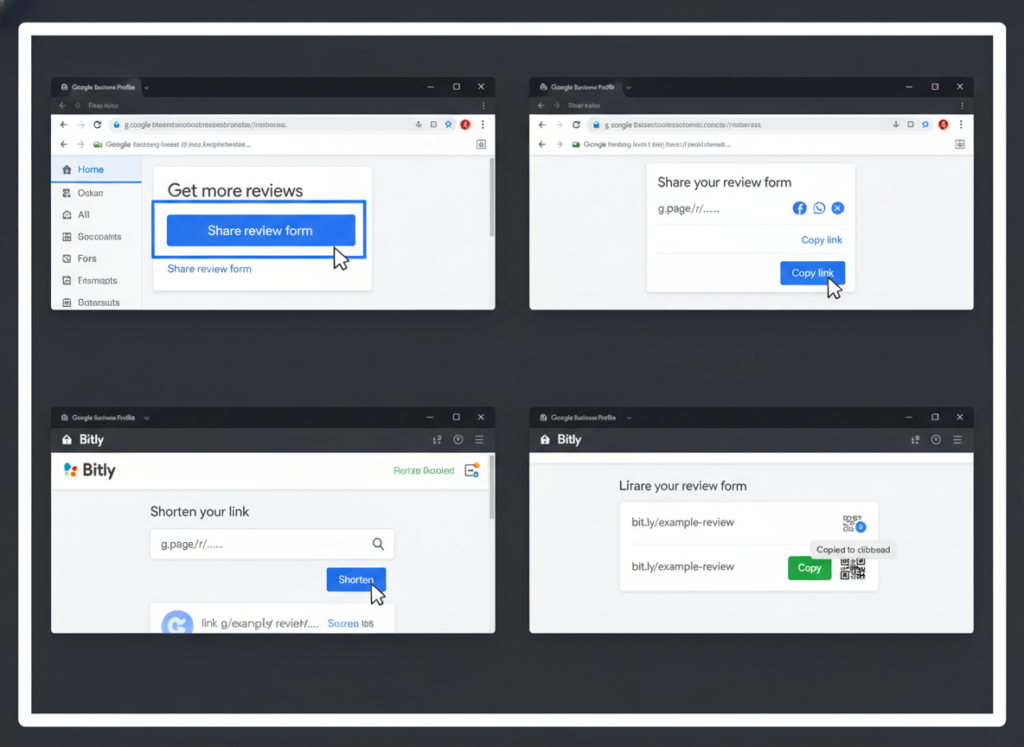
One of the biggest barriers to getting reviews is the process itself. Make it easier for customers by creating a direct link to your review form that bypasses the need to search for your business on Google Maps.
How to create your review link:
- Log in to your Google Business Profile
- Click on the “Home” tab
- Find the “Get more reviews” card
- Click “Share review form”
- Copy the link to your clipboard
Once you have this link, you can shorten it using a service like Bitly to make it more user-friendly, especially for offline review requests.
Ask at the Right Moment
Timing is crucial when requesting reviews. The best moments to ask include:
- After a positive customer service interaction
- When a customer expresses satisfaction with your product or service
- Following a successful project completion
- After repeat purchases (indicating customer loyalty)
- During follow-up communications after service delivery
Asking at these moments increases the likelihood of receiving positive reviews since the customer’s positive experience is fresh in their mind.
Implement Multiple Request Methods
Different customers prefer different communication channels. Implement a variety of methods to request reviews:
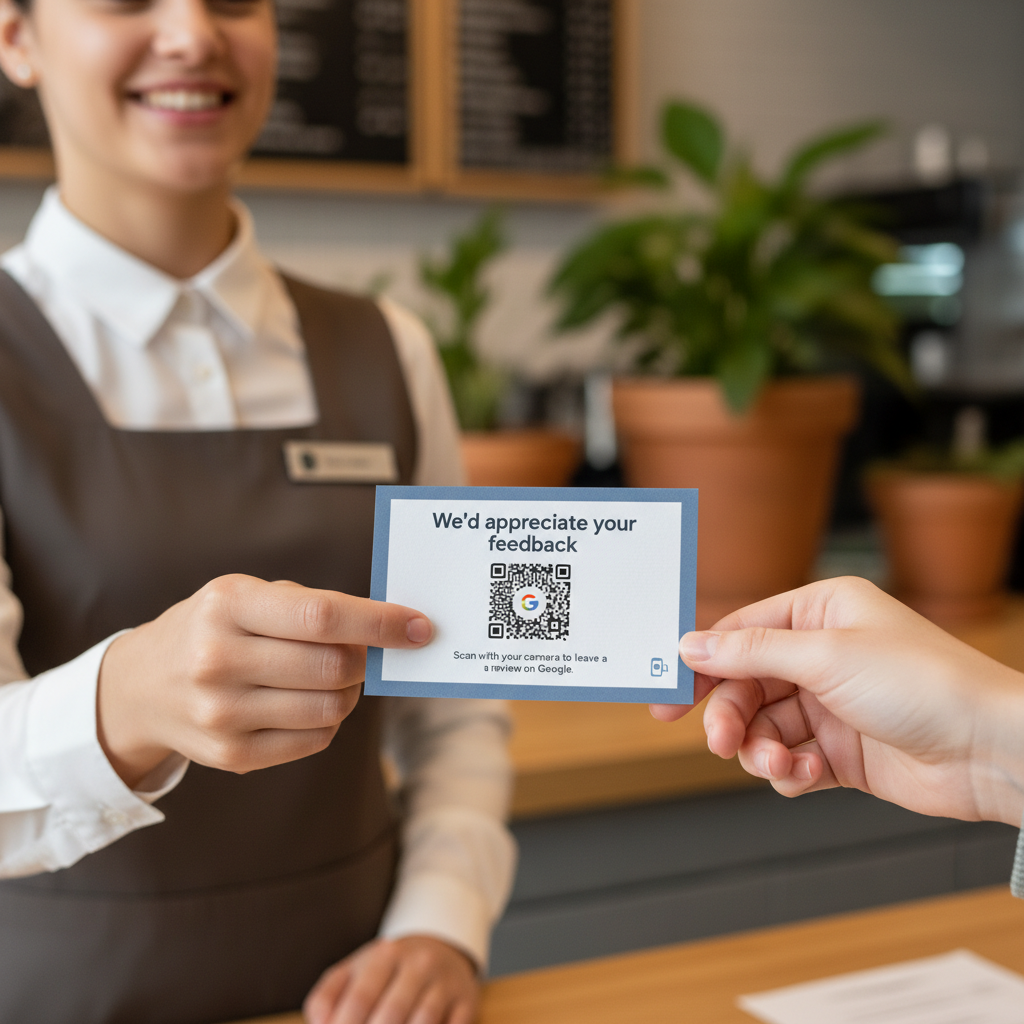
In-Person Requests
Train your staff to verbally request reviews at the end of positive interactions. Provide them with review cards that include your shortened review link or QR code.
Email Campaigns
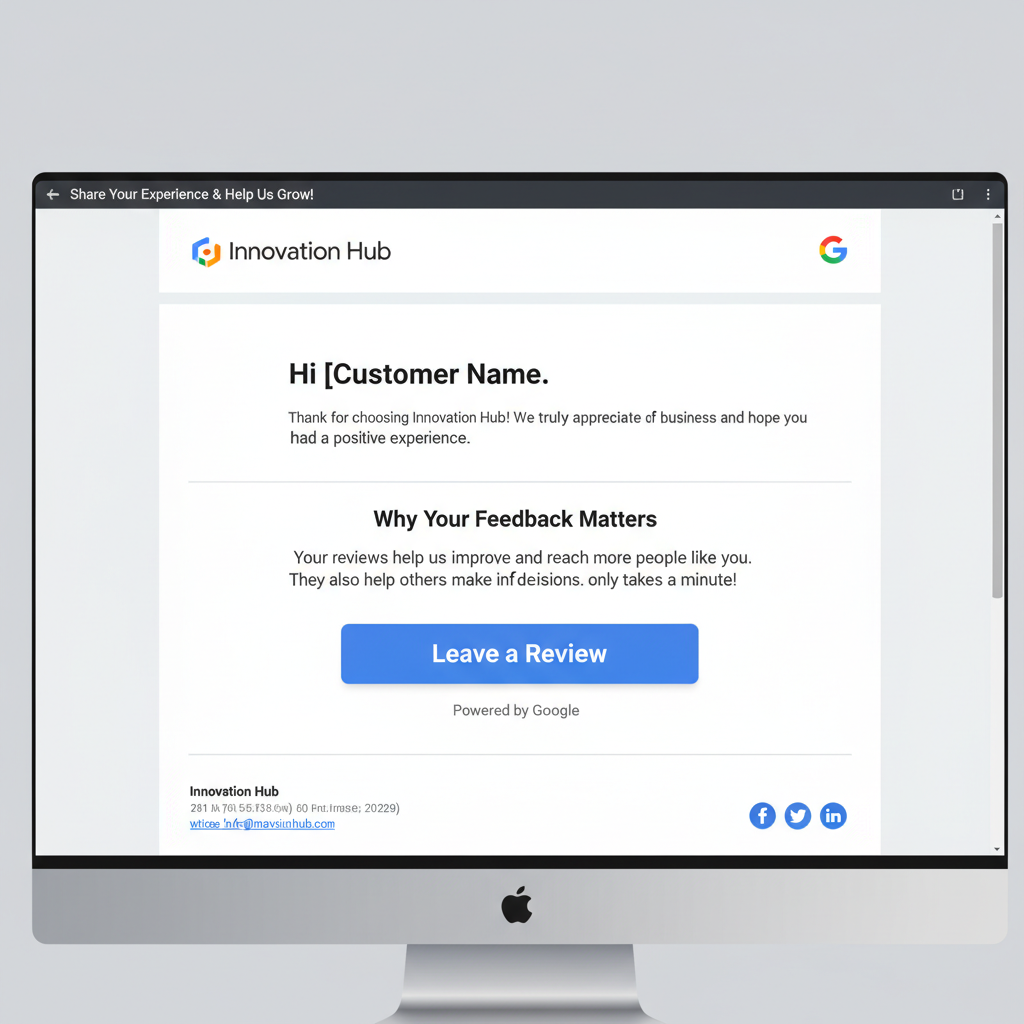
Send follow-up emails after purchases or service completions that include your review link. Personalize these emails and make the request clear but not pushy.
SMS Requests
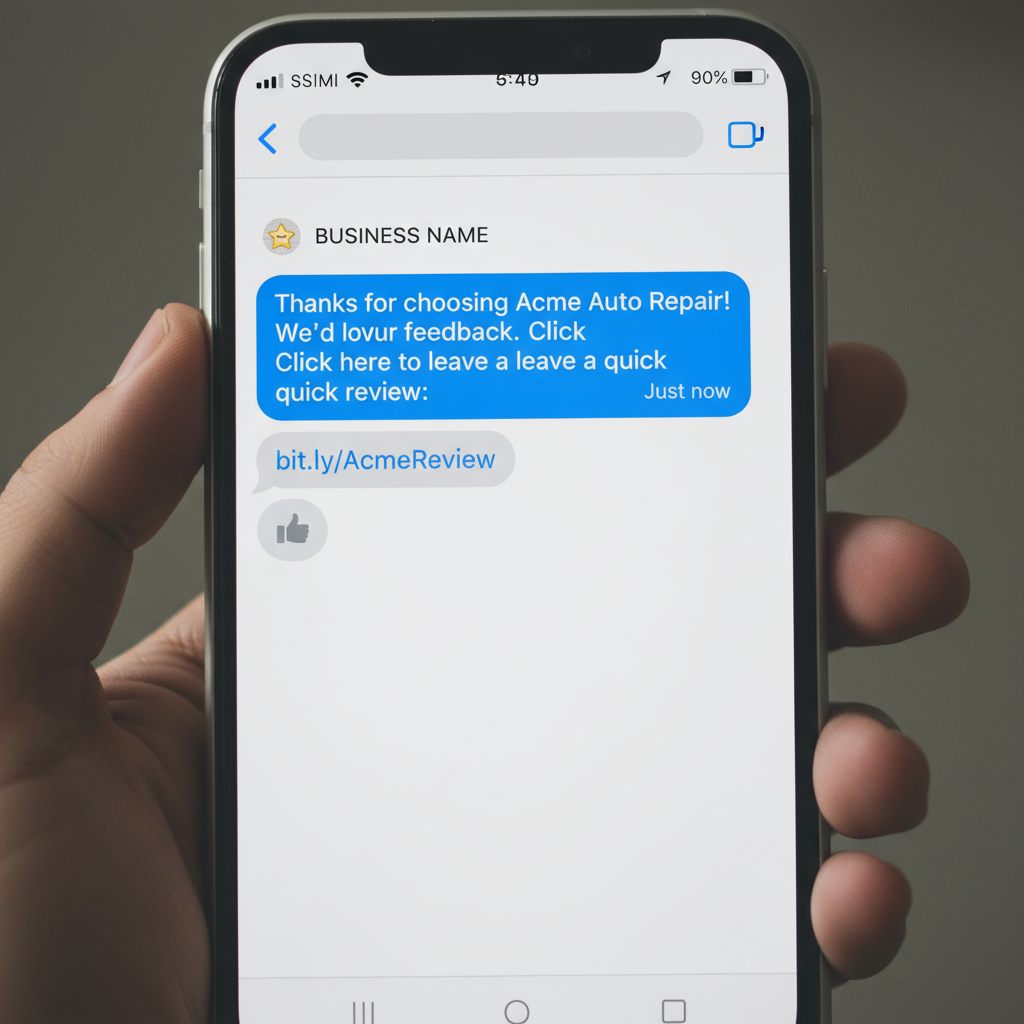
Text messages have high open rates and are convenient for customers. Send a brief, friendly message with your review link shortly after service completion.
Create a QR Code for In-Store Review Requests
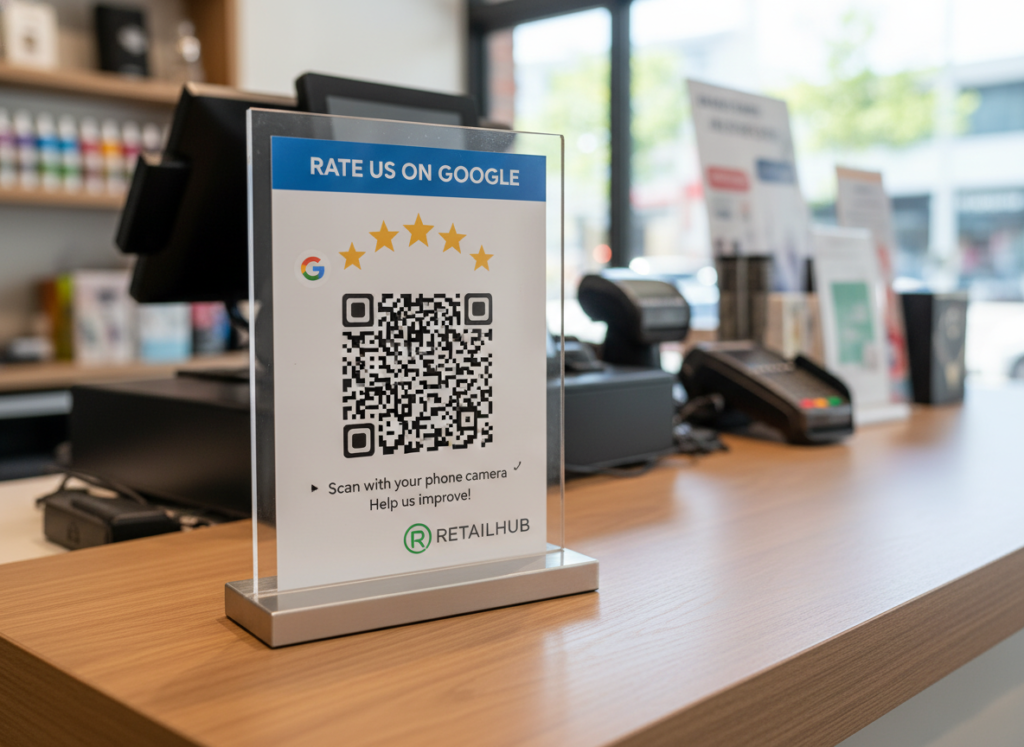
For brick-and-mortar businesses, QR codes provide a seamless way for customers to leave reviews while still in your establishment. Create a QR code that links directly to your Google review form and display it prominently at checkout counters, on receipts, or on table tents.
Leverage Email Signatures
Add your Google review link to your email signature with a simple call-to-action like “Happy with our service? Leave us a review!” This passive approach puts your review request in front of customers without being intrusive.
“Got a minute to review us on Google? We’d love to get your feedback.”
Create a Review Generation System
Develop a systematic approach to requesting reviews that becomes part of your regular business operations. This might include:
- Automating review requests through your CRM system
- Setting up triggered emails based on customer actions
- Training staff on when and how to request reviews
- Tracking which methods generate the most reviews
- Regularly reviewing and refining your approach
Need help setting up your review request system?
Download our free templates for email, SMS, and in-person review requests that you can customize for your business.
Best Practices for Managing Google Reviews
Getting reviews is only half the battle. How you manage and respond to those reviews can significantly impact both your search rankings and your reputation with potential customers.

Respond to Every Review
Google has confirmed that responding to reviews improves your local SEO. Beyond the ranking benefits, responses show that you value customer feedback and are engaged with your audience.
Responding to Positive Reviews
When responding to positive reviews:
- Thank the customer by name when possible
- Be specific about what they mentioned in their review
- Reinforce the positive aspects they highlighted
- Keep it concise but genuine
- Invite them to return or try additional services
“Thank you, Sarah! We’re thrilled to hear that you enjoyed our new seasonal menu. Chef Michael will be especially happy to hear your comments about the risotto. We look forward to serving you again soon!”
Responding to Negative Reviews
When responding to negative reviews:
- Respond promptly (ideally within 24-48 hours)
- Thank them for their feedback
- Apologize for their negative experience
- Address specific issues they mentioned
- Take the conversation offline by providing contact information
- Explain any changes you’ll make based on their feedback
“Thank you for bringing this to our attention, John. We’re sorry to hear about your experience with our delivery service. This doesn’t reflect our usual standards, and we’d like to make it right. Please contact our customer service manager at manager@business.com so we can resolve this issue for you.”
Monitor Reviews Regularly
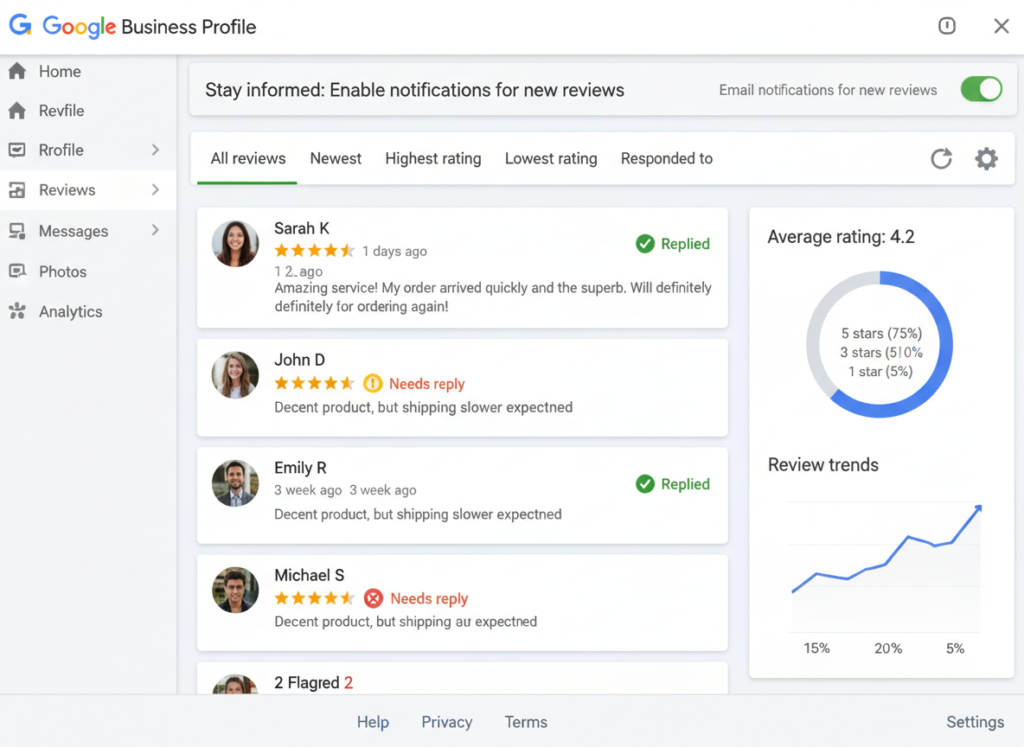
Set up a system to monitor new reviews as they come in. Google Business Profile allows you to receive notifications when new reviews are posted, ensuring you can respond promptly.
Regular monitoring also helps you identify and address potential issues before they become patterns in your reviews. If multiple customers mention the same problem, it’s a clear signal that something needs to be addressed in your business operations.
Learn from Review Content
Reviews contain valuable insights about your business. Implement a system to analyze review content for:
- Common praise points (to reinforce in your marketing)
- Recurring issues (to address in your operations)
- Keywords and phrases customers use (to incorporate in your SEO strategy)
- Competitor mentions (to understand how you compare)
- Product or service suggestions (to guide development)
This analysis can inform business decisions ranging from staff training to product development to marketing messaging.
Address Fake or Inappropriate Reviews
Occasionally, you may receive reviews that violate Google’s policies, such as spam, off-topic content, or reviews from competitors. In these cases:
- Flag the review through your Google Business Profile
- Explain which policy it violates when prompted
- Provide any relevant details or evidence
- Be patient as Google reviews your request (this can take several days)
- Follow up if necessary if the review isn’t removed
Remember that Google won’t remove negative reviews simply because they’re negative. They must violate specific policies to be eligible for removal.
How quickly should I respond to Google reviews?
Aim to respond to all reviews within 24-48 hours. For negative reviews, faster is better – ideally within 24 hours. Quick responses show that you’re attentive and care about customer feedback, which can mitigate the impact of negative reviews and reinforce positive ones.
Can I ask customers to remove negative reviews?
While it’s not against Google’s policies to ask a customer to update or remove a negative review after you’ve resolved their issue, it should be done carefully. Never pressure customers or offer incentives for removing reviews, as this violates Google’s terms of service. Instead, focus on genuinely resolving their concerns, and if they’re satisfied with the resolution, you can politely mention that you’d appreciate an updated review reflecting their new experience.
Is it okay to incentivize customers to leave reviews?
No, offering incentives for reviews violates Google’s policies. This includes discounts, gifts, or contest entries in exchange for reviews. Instead, focus on providing excellent service that naturally motivates customers to leave positive feedback, and implement a systematic approach to requesting reviews at appropriate times.
Your 30-Day Google Review Implementation Plan
To help you put these strategies into action, here’s a 30-day plan to improve your Google review profile and boost your local search rankings:
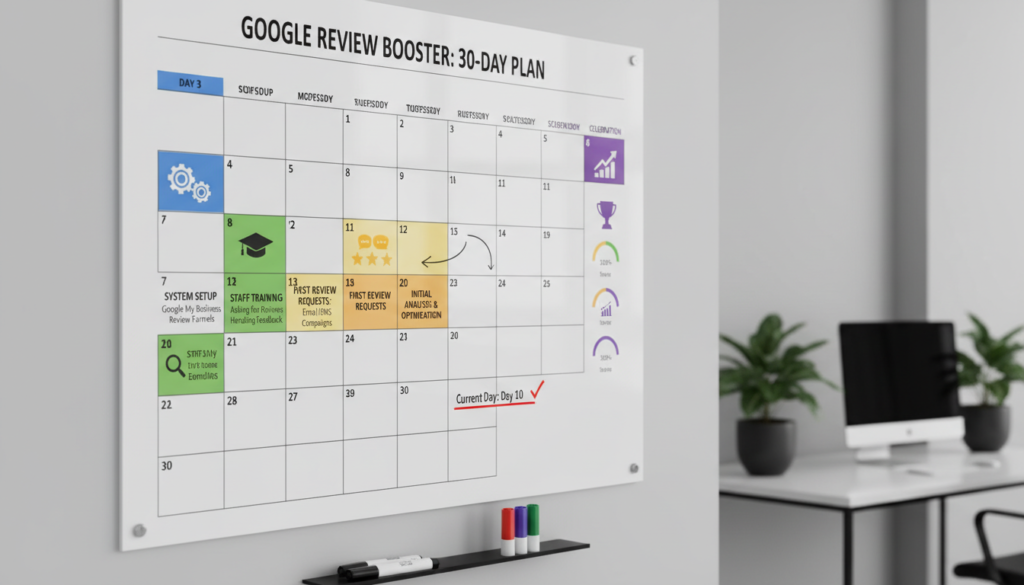
Days 1-10: Setup
- Verify your Google Business Profile if not already done
- Create your review shortcut link and QR code
- Add review links to your website and email signatures
- Develop templates for review requests across channels
- Train staff on when and how to request reviews
Days 11-20: Implementation
- Begin actively requesting reviews from recent customers
- Send your first batch of review request emails
- Place QR codes or review cards in your business location
- Respond to all new reviews within 24 hours
- Start tracking which methods generate the most reviews
Days 21-30: Optimization
- Analyze initial results and refine your approach
- Follow up with customers who haven’t left reviews
- Address any operational issues identified in reviews
- Create a sustainable system for ongoing review management
- Monitor changes in your local search rankings
Benefits of Implementing This Plan
- Improved visibility in Google Maps and local search
- Increased customer trust and higher conversion rates
- Valuable feedback for business improvement
- Competitive advantage over businesses with fewer reviews
- Long-term SEO benefits that compound over time
Challenges to Anticipate
- Initial time investment to set up systems
- Potential negative reviews that require careful responses
- Staff training and buy-in for consistent implementation
- Results may take time to impact rankings significantly
- Ongoing maintenance required for sustained benefits
Ready to transform your Google review strategy?
Book a free 30-minute consultation with our local SEO experts to create a customized review strategy for your business.
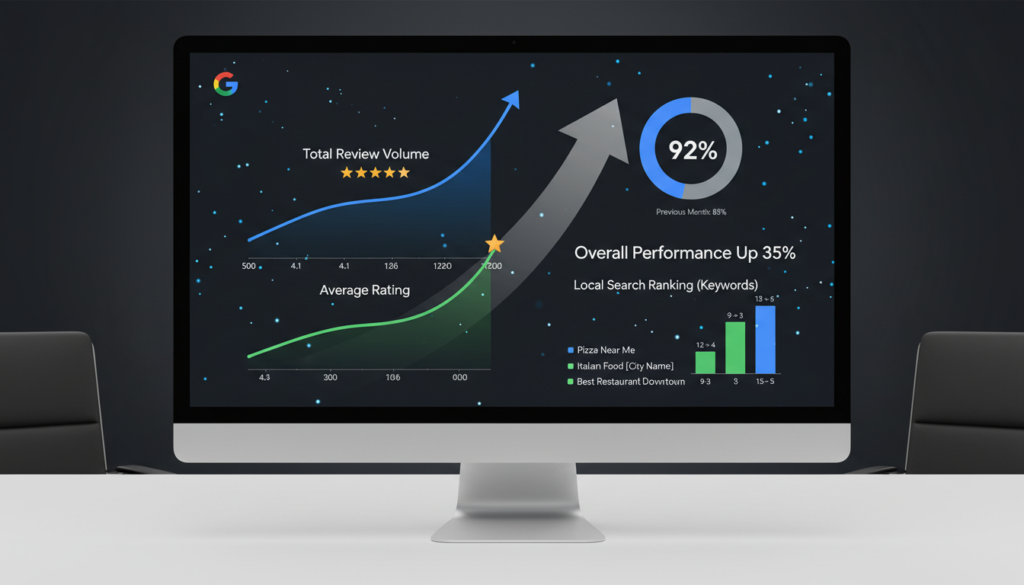
Measuring the Success of Your Google Review Strategy
To ensure your review strategy is effectively improving your local search rankings, you need to track key metrics over time.
| Metric | What to Track | Target Improvement | Measurement Frequency |
| Review Volume | Total number of Google reviews | 10-15% increase monthly | Monthly |
| Average Star Rating | Overall rating (out of 5 stars) | Maintain above 4.2 stars | Monthly |
| Review Recency | Number of reviews in past 30 days | Minimum 5 new reviews monthly | Monthly |
| Response Rate | Percentage of reviews with responses | 100% response rate | Weekly |
| Response Time | Average time to respond to reviews | Under 24 hours | Weekly |
| Local Ranking Position | Position in local pack for key terms | Top 3 positions | Monthly |
| Profile Views | Views of your Google Business Profile | 15-20% increase quarterly | Monthly |
Track these metrics using Google Business Profile Insights, which provides data on how customers find and interact with your profile. For more comprehensive tracking, consider using specialized local SEO tools that monitor ranking changes across multiple keywords and locations.
Conclusion: The Dual Importance of Google Reviews
Google reviews have become a critical component of local search success, serving a dual purpose for your business:

First, they directly impact your visibility in local search results. Google’s algorithm uses review signals – including quantity, quality, recency, and your response rate – to determine which businesses to show for local searches. A strong review profile can significantly improve your chances of appearing in the coveted Local Pack and top Google Maps positions.
Second, reviews shape how potential customers perceive your business. They build trust, influence buying decisions, and provide valuable feedback that helps you improve your offerings. In today’s digital marketplace, your Google reviews often serve as the first impression for many potential customers.
By implementing the strategies outlined in this guide – creating easy review pathways, asking at the right moments, responding thoughtfully to all feedback, and systematically managing your review profile – you can harness the power of Google reviews to boost both your search rankings and your overall business reputation.
Remember that review management isn’t a one-time effort but an ongoing process that requires consistent attention. The businesses that excel in local search are those that make review generation and management a core part of their marketing strategy.
Take the next step in your local SEO journey
Download our comprehensive Google Review Strategy Guide with templates, scripts, and a 90-day implementation plan to boost your local search rankings.