Google reviews for your shop
Corner shop, bike shop, florist or bookshop: customers come in every day, but hardly anyone asks them for a review. Regiofy gives you QR stands and stickers for the checkout and the door, a receipt line and suggested replies.
No credit card required
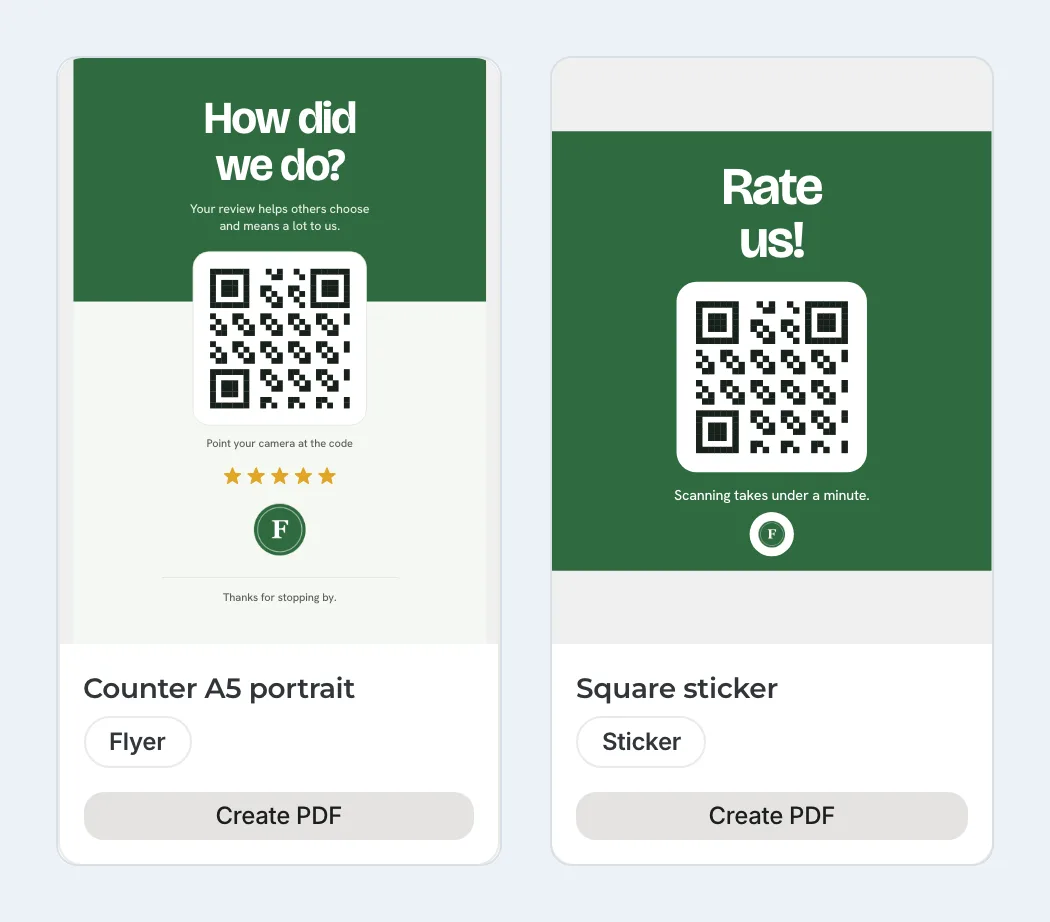
A stand for the checkout, a sticker for the door
Fahrradladen Beispielrad is a made-up bike shop with sample data. Under “Stands & QR code” every print template already shows your logo and colors, such as a stand for the checkout or a square sticker for the door and the counter. In the PDF, each carries the QR code to your review page. “Create PDF” turns it into a print file; the Local plan includes five PDFs a month.
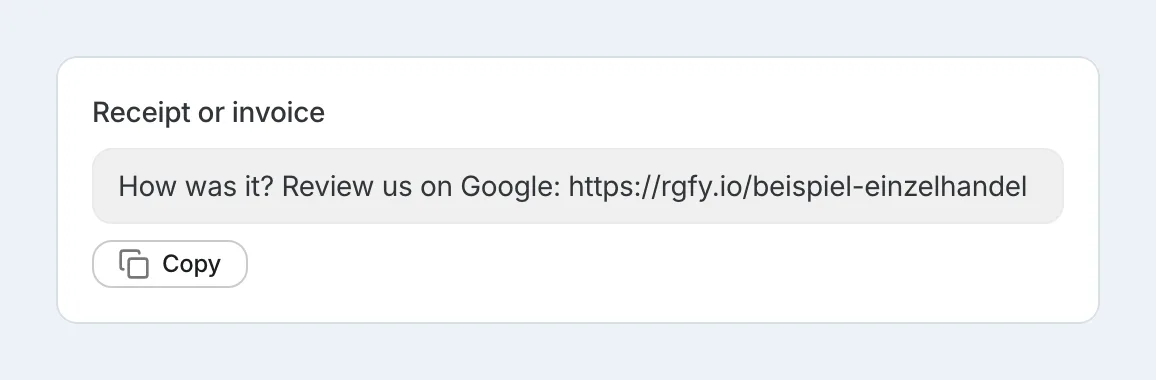
A line for your receipts
In your review page settings, “Review request to share” has a ready-made line for receipts and invoices: “How was it? Review us on Google:” followed by a short address, the same one as in the QR code. You copy it once into the receipt footer of your POS system, if your POS system allows a line of your own. The line asks everyone the same way, not only satisfied customers, and offers nothing in return.
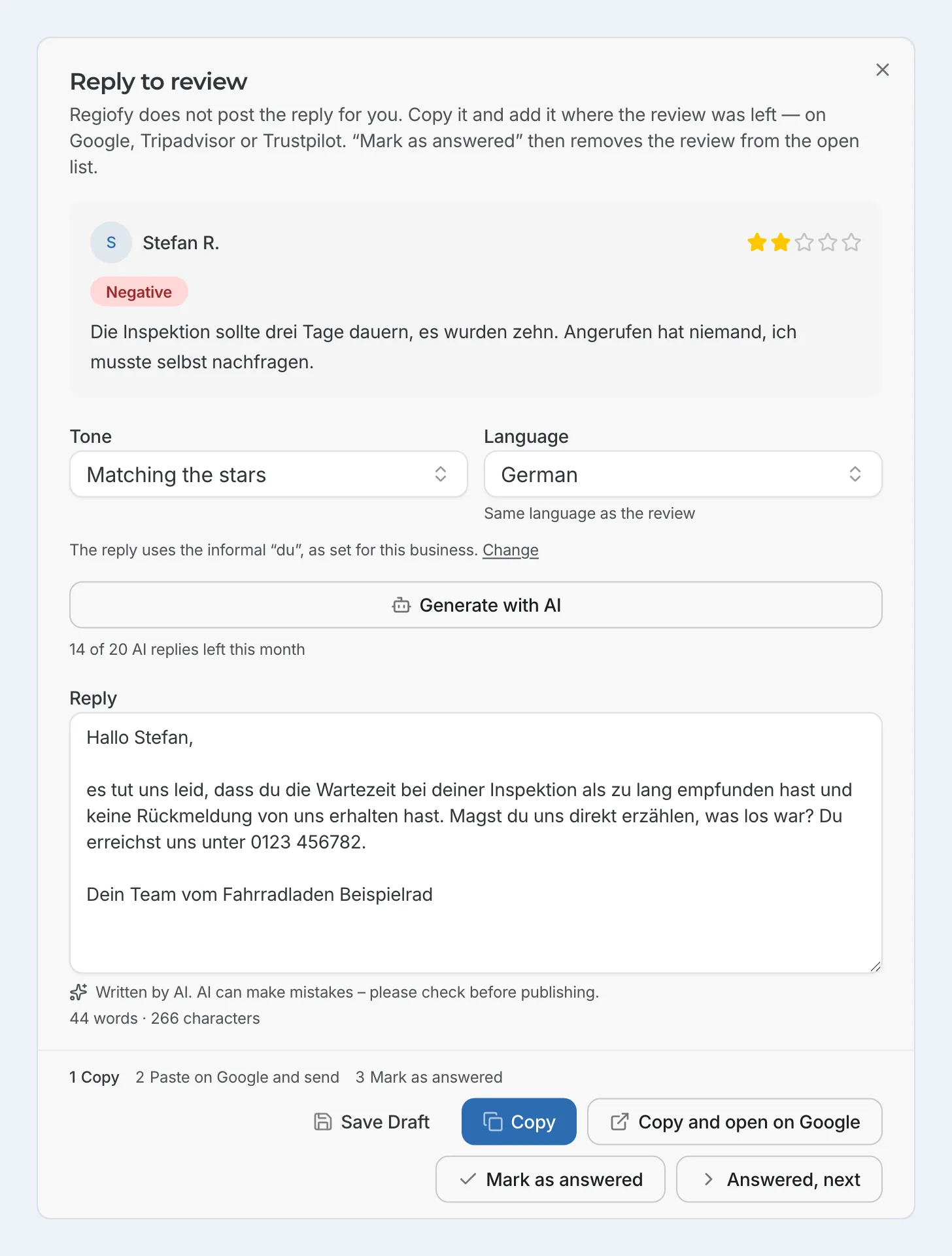
Answer criticism calmly
Stefan left two stars because his bike service took ten days instead of three and nobody called him. You can pick the tone before the draft is written. You read the draft, add what actually happened and take out anything that is not true. From your reply guide, Regiofy adds a sentence telling Stefan how to reach you directly. You post the reply yourself on Google.
A Saturday at the bike shop
The stand is at the checkout, the sticker is on the door, and the receipt carries the line with the short address.
At home, the customer types in the address from the receipt and leaves a review on Google.
At the next sync the review appears in your list. A bad one is also flagged by the bell and, if you have turned it on, by email.
You have a draft written, adjust it and post it on Google.
What else is included
Profile audit
Regiofy reads your public Google profile, awards points for areas such as photos, opening hours, description, and reviews, and tells you in plain language what to add. On the Local plan, you can run one audit a month.
See the profile auditPosts for Google and social media
Regiofy drafts Google posts, for example about new stock, holiday opening hours or Mother's Day at a florist, plus a description for your profile and posts for Instagram, Facebook, and LinkedIn. You publish them yourself. The Local plan includes 20 AI texts a month.
What it costs
The Local plan costs €29 a month for one location, and the Branches plan €79 a month for up to five locations of the same business. All prices are net, plus VAT (with 19% German VAT: €34.51 and €94.01). The 14-day trial is free and doesn’t require a credit card; the pricing page lists what each plan includes.
No credit card required
Frequently asked questions
Where is the best place for the QR code?
Wherever customers stop for a moment anyway: at the checkout, on the door or in the window. A location has one review page and one QR code, which you can show in several places. There are stands for the checkout, stickers for the door and the counter, and a landscape template for the window.
Can my team ask for a review at the checkout?
Yes, if everyone is asked the same way, not only those who seem happy. Offer nothing in return, no discount and no free item, and do not push customers to review while still in the shop. Avoid giving your team a target number of reviews.
I also sell online. Does Regiofy pull in those reviews?
Regiofy pulls in your public reviews from Google, and from Trustpilot and Tripadvisor once you connect them. It does not pull in reviews from your shop system or from marketplaces.
Which print templates are there?
Stands and signs for the counter, tables and window, cards, stickers, and Instagram posts and stories, each with your QR code, name, logo and colors.
I run several shops. Does it fit?
Yes. The Branches plan shows up to five shops of the same business in one overview, each with its own review page and QR code, synced daily.
Do I need to connect my till?
No. Regiofy does not connect to it, and you do not need it to. It pulls in your public reviews from Google. To ask for reviews, all you need is the stand at the checkout, the sticker on the door and the receipt line, which you copy into your till once.
Where is my data stored?
Regiofy runs on a server in Falkenstein, Germany (Hetzner). For some tasks, such as fetching reviews, AI drafts, emails, and payments, we use other services; some of them are based outside the EU. Our privacy policy lists them.